
Introduction
Service Owner Console is a Web console for you to manage services. A service in Service Owner Console represents an authorization server & OpenID provider. You can have multiple services and manage their configuration parameters using Service Owner Console. The URL of Service Owner Console is https://so.authlete.com/.First Step
The first step to start using Service Owner Console is to register your account at the sign-up page (https://so.authlete.com/accounts/signup). At the sign-up page, you will see a form as shown below. Fill in all the fields, check “I’m not a robot” check-box, and click “Sign Up” button.
After sign-up, a dialog titled “Registration Completed” is displayed.
As written in the dialog, your first service and the first client application of the service are created automatically.
Click “Dashboard” button at the bottm right corner of the dialog, and Service Details page of the first service will be displayed.
Right after registration, your status is ‘logged in’. You can logout Service Owner Console by clicking “Log out” button and can re-login at the login page (https://so.authlete.com/accounts/login).
List Services
You can have multiple services and manage them using Service Owner Console. To list services, do either of the following.- Open “Menu” on the left and select “Your Services”.
- Access the URL directly.
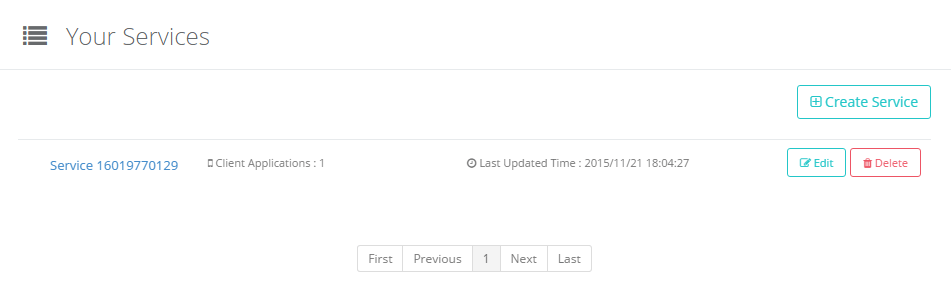
By clicking the service name, you can display Service Details page of the service. In the figure, “Service 16019770129” is the service name. “Edit” button on the right is a button to start editing configuration parameters of the service. See “Edit Service” for details. “Delete” button is a button to delete the service. Be careful when you delete a service because it will delete not only the service but also client applications associated with the service. See “Delete Service” for details.
Create Service
It is very easy to create a new service using Service Owner Console. To start creating a new service, do one of the following.- Open “Menu” on the left and select “Create Service”.
- Click “Create Service” button in the service list page.
- Access the URL directly.
Change the values of the configuration parameters as you like, or leave all of them untouched to use their default values. See Edit Service for details about the configuration parameters. After editing, click “Create” button at the bottom of Create Service page to create a new service. That’s all
There is the upper limit on the number of services you can create depending on your plan. For example, 3 is the upper limit for Free plan. See “Pricing” page for details.
Edit Service
1. Start Editing
To start editing configuration parameters of a service, do either of the following.- Click “Edit” button in Your Services page or Service Details page.
- Access the URL (
https://so.authlete.com/services/SERVICE_API_KEY/edit) directly. Don’t forget to replaceSERVICE_API_KEYwith the actual API key of a service.
2. Categories
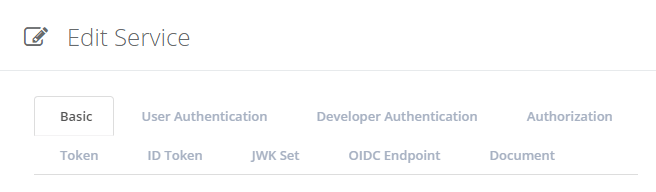
As the number of configuration parameters of a service is not small, they are categorized. In Edit Service page, there are tabs for the categories.3. Configuration
Please check this document for more detail.4. Apply Changes
After editing configuration parameters, click “Update” button at the bottom of Edit Service page to apply the changes.Delete Service
To delete a service, click “Delete” button in Your Services page or Service Details page. A confirmation dialog is displayed. Initially, “Delete” button in the dialog is disabled. Input the name of the service in the text field in the dialog, and “Delete” button is enabled.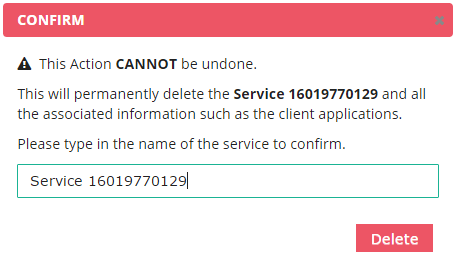
Click “Delete” button in the dialog, and the service is deleted. Be careful when you delete a service because it will delete not only the service but also client applications associated with the service.
Account Info
To access information about your Authlete account, do either of the following.- Open “Menu” on the left and select “Your Account”.
- Access the URL directly.
Currently, you cannot change these values via Service Owner Console. Especially, to change your plan, please contact us: [sales@authlete.com](mailto: sales@authlete.com)