Documentation Index
Fetch the complete documentation index at: https://developers.authlete.com/llms.txt
Use this file to discover all available pages before exploring further.
This page is for Authlete 2.x. For current (3.0) documentation, see this page. 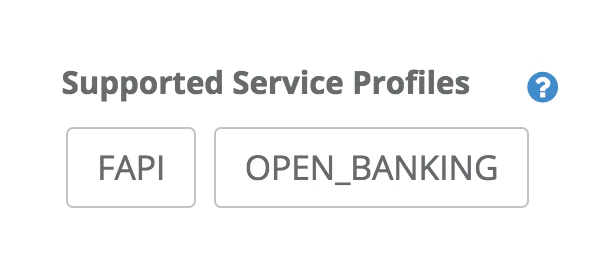 FAPI Profile
Overview
This document explains how to use Financial-grade API (FAPI) feature in Authlete.
FAPI feature is available since Authlete 2.0.
If you are using Authlete 2.2+, refer to Financial-grade API (FAPI) Basics.
Introduction
FAPI defines two types of security profiles. One is read-only API profile (specified in FAPI part1) and the other one is read-and-write API profile (specified in FAPI part2). Requirements for authorization servers in both profiles are different, thus the behavior of authorization servers varies depending on which security profile it is based on. To enable FAPI feature in Authlete, you need to configure your service and client so that they satisfy the requirements in either of the profiles above. Additionally, request parameters that your client sends to your service (authorization server) also need to be configured appropriately because Authlete determines whether FAPI feature is enabled or not at runtime. This means FAPI feature is not enabled in Authlete when request parameters are not configured properly even if the configurations of your service and client meet FAPI requirements. The following steps briefly explain how Authlete determines whether to enable FAPI or not at runtime:
- Extract scopes that are contained in the request or associated with the request
- Check the scope attributes (see Appendix 1) associated with each scope as follows:
| Condition | Authlete behavior |
|---|
| When the scope has a fapi read-only attribute (“key = fapi” and “value = r”) | Authlete behaves based on read-only API profile. |
| When the scope has a fapi read-and-write attribute (“key = fapi” and “value = rw”) | Authlete behaves based on read-and-write API profile. |
| Otherwise | Authlete behaves based on regular OAuth2.0/OIDC flows. |
Service configurations
This section explains how to configure a service to support FAPI profiles.
Configurations for read-only API profile
Configure a service as below.
| Property | Configuration |
|---|
| Supported Service Profiles | Choose FAPI. |
| Supported Client Authentication Methods | Choose at least one of: TLS_CLIENT_AUTH, SELF_SIGNED_TLS_CLIENT_AUTH, CLIENT_SECRET_JWT, PRIVATE_KEY_JWT. Note: If all the FAPI clients communicating with this service are public clients, this configuration is not mandatory. |
| Supported Scopes | Create at least a scope that has an “read-only” attribute. |
Configurations for read-and-write API profile
To support read-and-write API profile, you need to configure a service according to the configurations for read-only API profile and the following additional configurations. (Some configurations for read-only API profile are overridden.)
| Property | Configuration |
|---|
| Supported Authentication Context Class References | Set an appropriate value.(e.g. urn:mace:incommon:iap:silver) |
| Supported Response Types | Choose at least one of: CODE_ID_TOKEN, CODE_ID_TOKEN_TOKEN. Note: If all the FAPI clients communicating with this service use JARM (See Appendix 2), this configuration is not mandatory. |
| Supported Client Authentication Methods | Choose at least one of: TLS_CLIENT_AUTH, SELF_SIGNED_TLS_CLIENT_AUTH, PRIVATE_KEY_JWT. Note: If all the FAPI clients communicating with this service are public clients, this configuration is not mandatory. |
| TLS Client Certificate Bound Access Tokens | Choose Supported. |
| Supported Scopes | Create at least a scope that has an “read-and-write” attribute. |
Client configurations
This section explains how to configure a client to support FAPI profiles.
Configurations for read-only API profile
Configure a client as below.
| Property | Configuration |
|---|
| Client Authentication Method | If this client is a confidential client, choose one of: TLS_CLIENT_AUTH, SELF_SIGNED_TLS_CLIENT_AUTH, CLIENT_SECRET_JWT, PRIVATE_KEY_JWT. |
| Redirect Uris | Set a URI starting with https. |
| JWK Set Content | Note: not mandatory if “JWK Set URI” is used. If this client uses PRIVATE_KEY_JWT, the value must contain a public key for verifying assertion signature and the key must satisfy the requirements in Appendix 3. |
| JWK Set URI | Note: not mandatory if “JWK Set Content” is used. If this client uses PRIVATE_KEY_JWT, the JWK set must contain a public key for verifying assertion signature and the key must satisfy the requirements in Appendix 3. |
Configurations for read-and-write API profile
To support read-and-write API profile, you need to configure a client according to the configurations for read-only API profile and the following additional configurations. (Some configurations for read-only API profile are overridden.)
| Property | Configuration |
|---|
| Response Type | Choose at least one of: CODE_ID_TOKEN, CODE_ID_TOKEN_TOKEN. Note: If this client uses JARM (See Appendix 2), this configuration is not mandatory. |
| Supported Client Authentication Methods | If this client is a confidential client, choose one of: TLS_CLIENT_AUTH, SELF_SIGNED_TLS_CLIENT_AUTH, PRIVATE_KEY_JWT. |
| TLS Client Certificate Bound Access Tokens | Choose Enabled. |
| Authorization Response Signature Algorithm | If this client uses JARM, choose one of: PS256, ES256. |
| Assertion Signature Algorithm | If this client uses PRIVATE_KEY_JWT, choose one of: PS256, ES256. |
| Request Object Signature Algorithm | Choose one of: PS256, ES256. |
| ID Token Signature Algorithm | If this client asks for ID tokens, choose one of: PS256, ES256. |
| User Info Signature Algorithm | If this client uses user info endpoint, choose one of: PS256, ES256. |
Request
This section explains how to configure request parameters (for authorization endpoint and token endpoint) to support FAPI profiles.
Authorization request
Authorization request for read-only API profile
Requirements for request parameters
| Parameter | Requirement |
|---|
| redirect_uri | Set a URI that satisfies: must exactly match one of the pre-registered redirect URIs; must start with https. |
| state | Required if ‘openid’ scope is not contained in the ‘scope’ request parameters. |
| code_challenge | Set a value that complies with PKCE (RFC 7636). |
| code_challenge_method | Must be ‘S256’. |
| scope | Must include at least a scope that has an “read-only” attribute. |
#
# An example request from a public client.
#
# Note:
#   * scope: 'account' scope has a "read-only" attribute.
#   * state: Optional but recommended (OAuth 2.0).
#   * nonce: Required if the 'response_type' request parameter contains
#      'id_token' (OpenID Connect).
#
GET /api/authorization?

response_type=code+id_token&
client_id=285946231596&
redirect_uri=https://my-client.com/callback&
scope=openid+accounts&
code_challenge=E9Melhoa2OwvFrEMTJguCHaoeK1t8URWbuGJSstw-cM&
code_challenge_method=S256&
state=mystate&
nonce=mynonce
Authorization request for read-and-write API profile
Requirements for request parameters
To support read-and-write API profile, you need to configure request parameters according to the requirements for read-only API profile and the following additional requirements. (Some requirements for read-only API profile are overridden.)
| Parameter | Requirements |
|---|
| request | Note: If ‘request_uri’ parameter is used, this requirement is not mandatory. Set a request object that satisfy the requirements in Appendix 4. |
| request_uri | Note: If ‘request’ parameter is used, this requirement is not mandatory. Set a URL pointing a request object that satisfy the requirements in Appendix 4. |
| response_type | Set ‘code id_token’ or ‘code id_token token’. Note: If this client always uses JARM, this requirement is not mandatory. |
| code_challenge | Set a value that complies with PKCE (RFC 7636) if this client is a public client. |
| code_challenge_method | Must be ‘S256’ if this client is a public client. |
| scope | Must include at least a scope that has an “read-and-write” attribute. |
| claims | Must include the ‘acr’ claim as an essential claim (“essential”:true). See example below. |
{
  "id_token": {
    "acr": {
      "essential": true,
      "values": ["urn:mace:incommon:iap:silver"]
    }
  }
}
#
# An example request from a confidential client.
#
# Note:
#   * scope: 'account' scope has a "read-and-write" attribute.
#   * state: Optional but recommended (OAuth 2.0).
#   * nonce: Required if the 'response_type' request parameter contains
#      'id_token' (OpenID Connect).
#
GET /api/authorization?

response_type=code+id_token&
client_id=291985138172&
scope=openid+payments&
redirect_uri=https://my-client.com/callback&
state=mystate&
nonce=mynonce&
claims={"id_token":{"acr":{"essential":true,"values":["urn:mace:incommon:iap:silver"]}}}&
request=eyJh...[省略]...nPQ
Token request
Token request for read-only API profile
Requirements for request parameters
| Parameter | Requirement |
|---|
| client_assertion | If this client uses PRIVATE_KEY_JWT as its client authentication method, the value of this property must contain a public key for verifying assertion signature and the key must satisfy the requirements in Appendix 3. |
#
# An example request from a public client.
#
POST /api/token

client_id=285946231596&
grant_type=authorization_code&
code=_vaXlQ_ItUX4hiWzXgOT-Jp9-oVPKGQ6Q6QZu_P2GXw&
redirect_uri=https://my-client.com/callback&
code_verifier=dBjftJeZ4CVP-mB92K27uhbUJU1p1r_wW1gFWFOEjXk
Token request for read-and-write API profile
Requirements for request parameters
To support read-and-write API profile, you need to configure request parameters according to the requirements for read-only API profile and the following additional requirements. (Some requirements for read-only API profile are overridden.)
| Parameter | Requirement |
|---|
| client_assertion | If this client uses PRIVATE_KEY_JWT as its client authentication method, the value of this property must be signed with the algorithm specified as ‘Assertion Signature Algorithm’. |
#
# An example request from a confidential client.
#
# Note:
#   * The client uses PRIVATE_KEY_JWT as its client authentication method.
#   * The client needs to present a client certificate to the token endpoint,
#      as 'TLS Client Certificate Bound Access Tokens' is enabled for the client.
#
POST /api/token

client_id=291985138172&
grant_type=authorization_code&
code=YG-gD9v-vmnuKaHkRHcvWq1UxlxT_9vgj28ffxIAX40&
redirect_uri=https://my-client.com/callback&
client_assertion=eyJh...[omitted]...OWg&
client_assertion_type=urn:ietf:params:oauth:client-assertion-type:jwt-bearer
Appendix
1. Scope attributes
See this article.
2. JARM
See this article.
3. Requirements for key size
FAPI Part1 says
Financial Services – Financial API - Part 1, 5.2.2. Authorization Server
The authorization server,
…
5. shall require a key of size 2048 bits or larger if RSA
algorithms are used for the client authentication;
6. shall require a key of size 160 bits or larger if elliptic
curve algorithms are used for the client authentication;
Then, a public key for signing a client assertion (JWS) and a private key for verifying the signature must satisfy the following requirements.
| Client assertion algorithm type | Requirements for key size |
|---|
| RSA algorithm | The key size must be equal to or larger than 2048 bits. |
| EC algorithm | The key size must be equal to or larger than 160 bits. |
| Otherwise | No requirements. |
4. Requirements for request objects
FAPI Part2 says
Financial Services – Financial API - Part 2, 5.2.2. Authorization Server
The authorization server,
…
1. shall require the request or request_uri parameter to be passed as a JWS signed JWT as in clause 6 of [OIDC];
…
10. shall require that all parameters are present inside the signed request object passed in the request or request_uri parameter;
…
13. shall require the request object to contain an exp claim;
…
15. shall require the aud claim in the request object to be, or to be an array containing, the OP’s Issuer Identifier URL;
Additionally, the following requirements for JWS signature must be satisfied.
Financial Services – Financial API - Part 2, 8.6 JWS algorithm considerations
Both clients and authorization servers:
1. shall use PS256 or ES256 algorithms;
2. should not use algorithms that use RSASSA-PKCS1-v1_5 (e.g. RS256);
3. shall not use none;
In sum, in order to support read-and-write API profile, request objects
- Must be signed with the algorithm specified as ‘Request Object Signature Algorithm’.
- Must include all the request parameters.
- Must include the ‘exp’ claim
- Must include the ‘aud’ claim and the value must be the value of ‘Token Issuer Identifier’.
The following example shows the payload of a request object that satisfies the requirements.
{
  "response_type": "code id_token",
  "exp": 1554973000,
  "aud": "https://my-authz-server.com/",
  "client_id": "291985138172",
  "scope": "openid payments",
  "redirect_uri": "https://my-client.com/callback",
  "state": "mystate",
  "nonce": "mynonce",
  "claims": {
    "id_token": {
      "acr": {
        "values": ["urn:mace:incommon:iap:silver"],
        "essential": true
      }
    }
  }
}
