
Documentation Index
Fetch the complete documentation index at: https://developers.authlete.com/llms.txt
Use this file to discover all available pages before exploring further.
This page is for Authlete 2.x. For current (3.0) documentation, see this page.
Preface
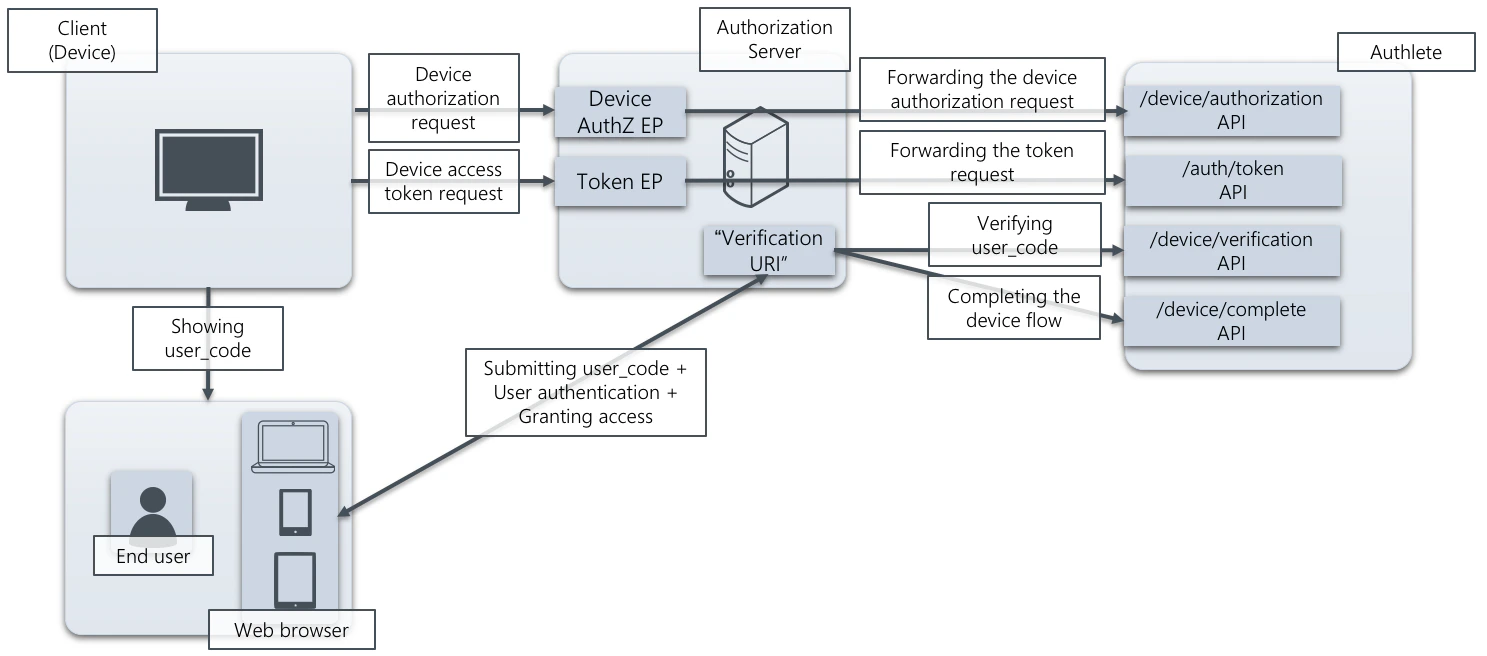
“Device flow,” defined in RFC 8628 (OAuth 2.0 Device Authorization Grant) , is an authorization flow to issue access tokens for API clients running on devices with no Web browsers and/or that have limited capability for inputting text, with end user consent. This article describes component architecture of an authorization server using Authlete to support the device flow and instructions to configure Authlete.This feature is available in Authlete version 2.1 and later.
How an authorization server supports the device flow using Authlete API
An authorization server must have the following endpoints and “verification URI” to support the device flow. Authlete provides functions as APIs for implementing them.-
Device authorization endpoint
- Processing a device authorization request sent from a client
- Authlete API: /device/authorization
-
Token endpoint
- Processing a device access token request sent from a client
- Authlete API: POST /auth/token
-
“Verification URI”
- Processing a “user_code” submitted by an end user , and authenticate the user and ask consent if needed
- Authlete API: /device/verification , POST /device/complete
Configuration settings
This section explains settings for enabling the device flow. You have to configure both Authlete service and its client that uses the flow.Authlete service
Configure the following settings in Service Owner Console.| Tab | Item | Value |
|---|---|---|
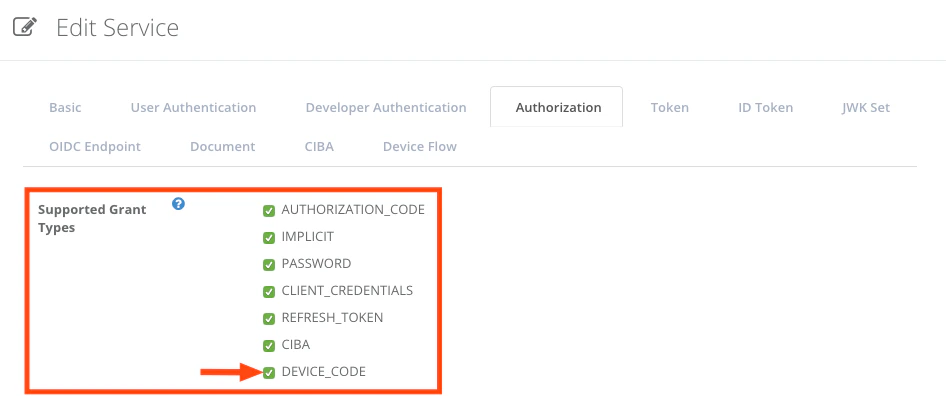
| Authorization | Supported Grant Types | Enable “DEVICE_CODE” |
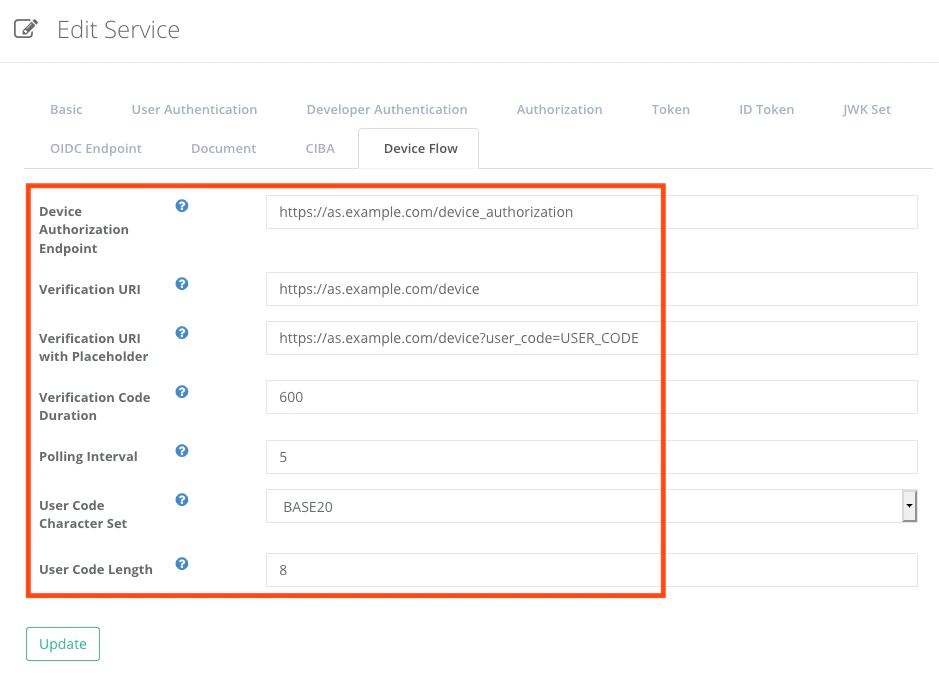
| Device Flow | Device Authorization Endpoint | The URL of the device authorization endpoint (e.g. https://as.example.com/device_authorization) |
| Device Flow | Verification URI | The value of verification_uri to be presented to end users (e.g. https://as.example.com/device) |
| Device Flow | Verification URI with Placeholder | The value of verification_uri_complete (e.g. https://as.example.com/device?user_code=USER_CODE) |
| Device Flow | Verification Code Duration | The duration of device_code and user_code in seconds (e.g. 600) |
| Device Flow | Polling Interval | The minimum interval between polling requests to the token endpoint in seconds (e.g. 5) |
| Device Flow | User Code Character Set | The character set for user_code (e.g. BASE20) |
| Device Flow | User Code Character Set | The length of user_code (e.g. 8) |
Client settings
Configure the following settings in Client Developer Console.| Tab | Key | Value |
|---|---|---|
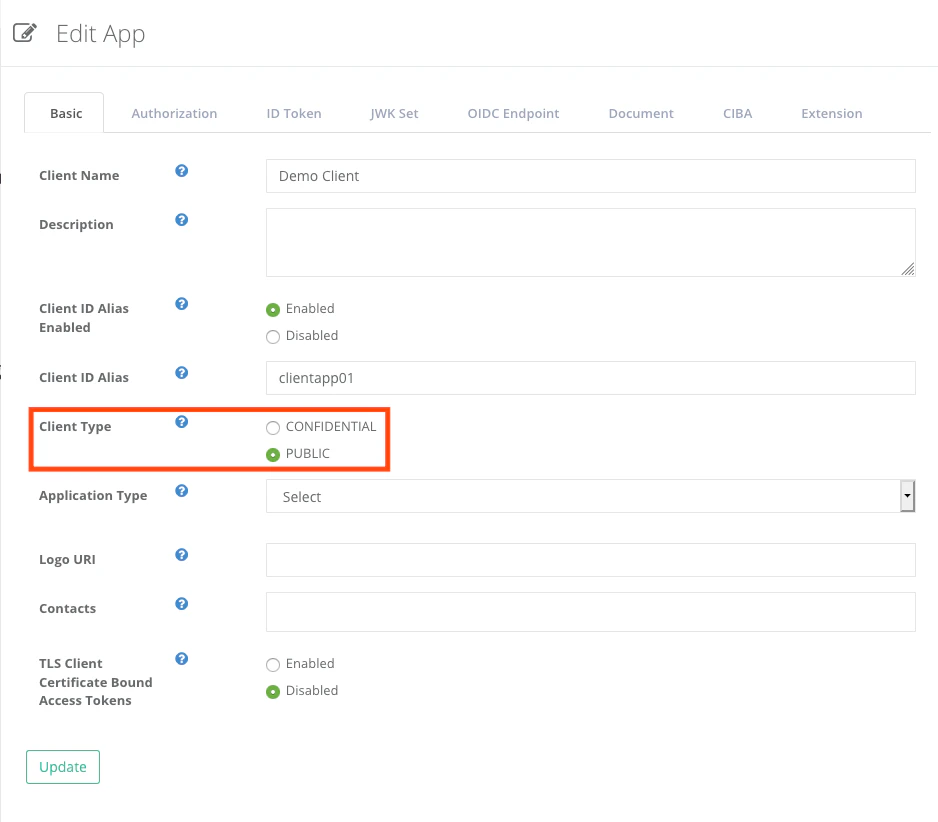
| Basic | Client Type | PUBLIC |
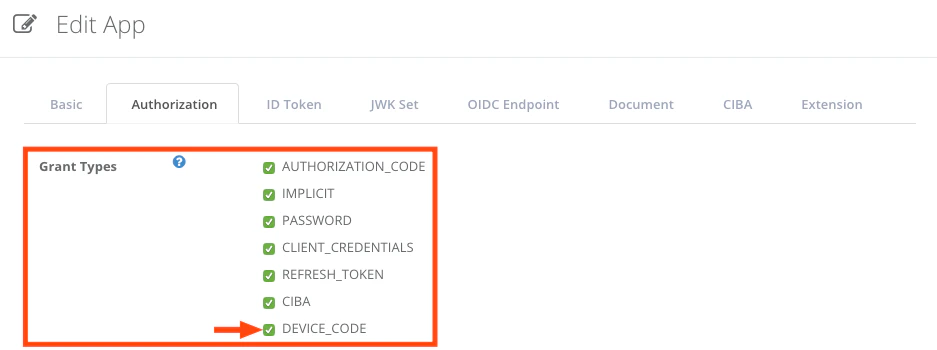
| Authorization | Grant Types | Enable “DEVICE_CODE” |
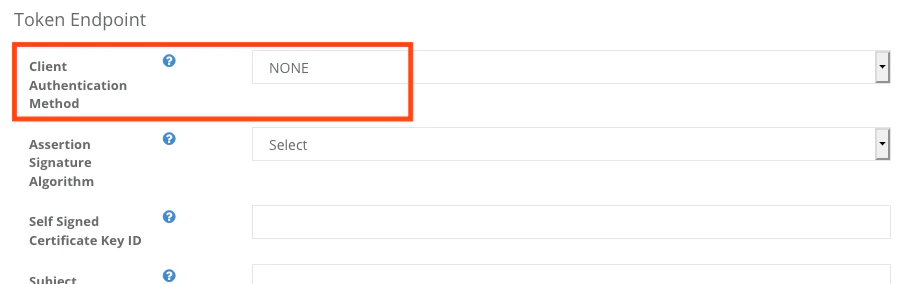
| Authorization | Token Endpoint — Client Authentication Method | Choose “NONE” |
In this article, the device is assumed to be a non-confidential client . Choose appropriate values for Client Type and Client Authentication Method if devices in your environment are confidential clients.
Example
This example shows how an authorization server using Authlete responds to a device authorization request from a client, verifies a user_code from an end user, and responds token requests from the client.\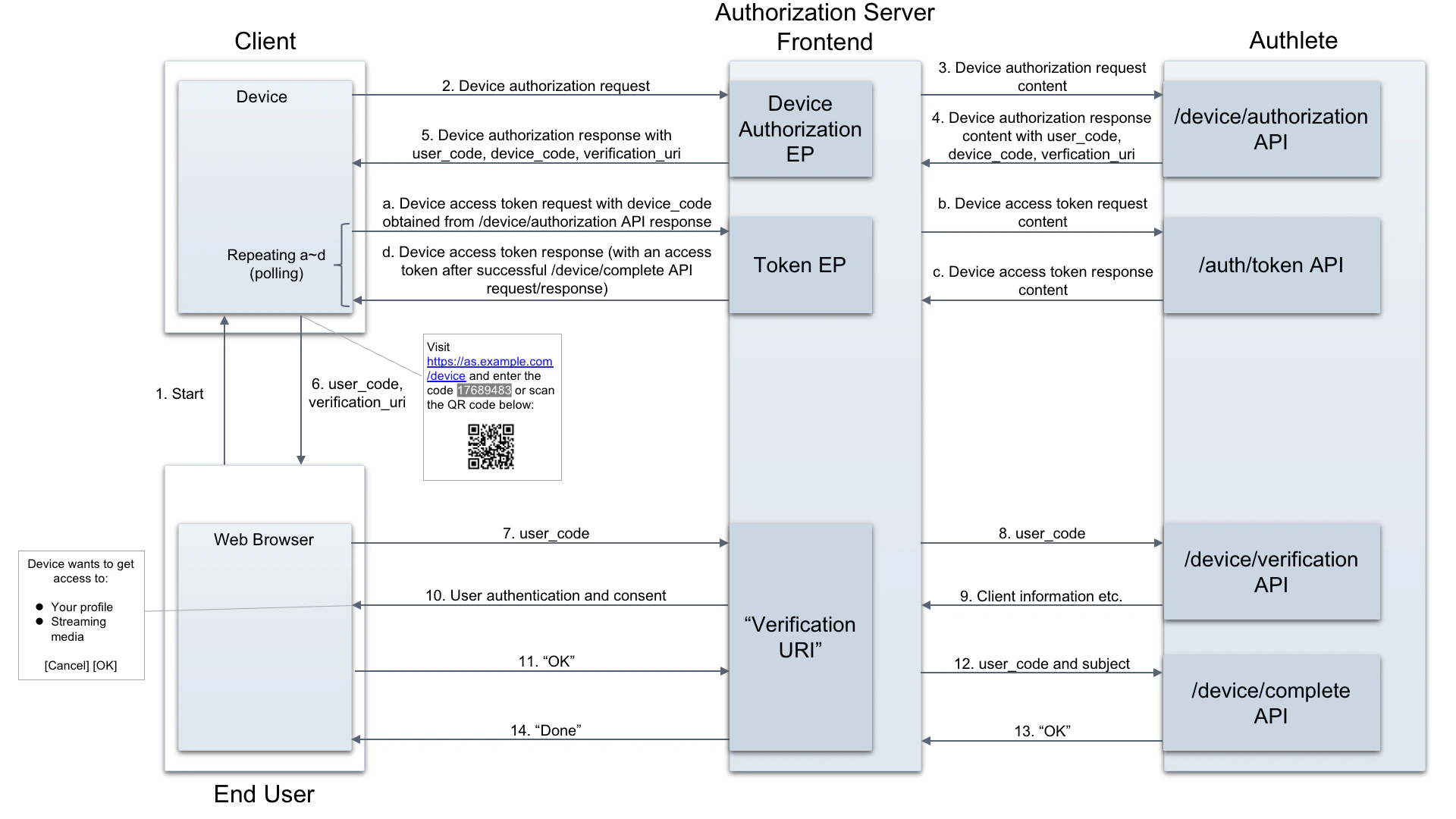
Device authorization request
Assume the client makes the following “device authorization request” to the authorization server (step #2). (all examples below are folded for readability)- Request (step #3 using curl command)
- Response (step #4)
”Verification URI”
Verifying the user_code
The client will send “device access token requests” to the server. The requests include the value of “device_code” extracted from the server’s device authorization response (described later in this section). Concurrently with the token requests, the client will ask the end user to present the value of “user_code” (extracted from the device authorization response) at “Verification URI” of the authorization server (step #6). How the code is shown to the user is up to the client. The following example is to present the code along with the value of “verification_uri” to the end user (based on an example in RFC 8628 ).- Request (step #8 using curl command)
- Response (step #9)
Completing the verification
The authorization server may authenticate the end user, and present the information of the client and details of the requested access based on the result described above (step #10, #11). Then the server determines the end user’s identifier and properties (e.g. scopes, claims) of the token to be issued, and makes a request to POST /device/complete API (step #12, #13).- Request (step #12 using curl command)
- Response (step #13)
Token request and response
As described before, the client makes “device access token requests” using the value of “device_code” to the authorization server (step #a). It usually sends the requests multiple times (i.e. polling) until the authorization server completes the verification of the user_code and provides an access token.- Request (step #b using curl command)
- Response (step #c, before the verification of the user_code is completed)
- Response (step #c, after the verification of the user_code is completed)
See also
- Device Flow (OAuth 2.0 Device Authorization Grant) describes overview of the device flow and how Authlete supports it.
- Sequence Diagrams Templates allow you to design the device flow using Authlete.
- Authlete API Reference provides details of APIs for implementing the device flow in your authorization server.