Documentation Index
Fetch the complete documentation index at: https://developers.authlete.com/llms.txt
Use this file to discover all available pages before exploring further.
This page is for Authlete 2.x. For current (3.0) documentation, see this page.
JWK set settings for an OAuth / OIDC client
Preface
In order to verify a signature of request objects coming from a client, or to provide encrypted ID tokens to a client, you have to register the client’s public key to Authlete for signature verification and/or message encryption. This article explains how to register a JWK set to settings of an OAuth / OIDC client that is registered to an Authlete service.Preparing a JWK set
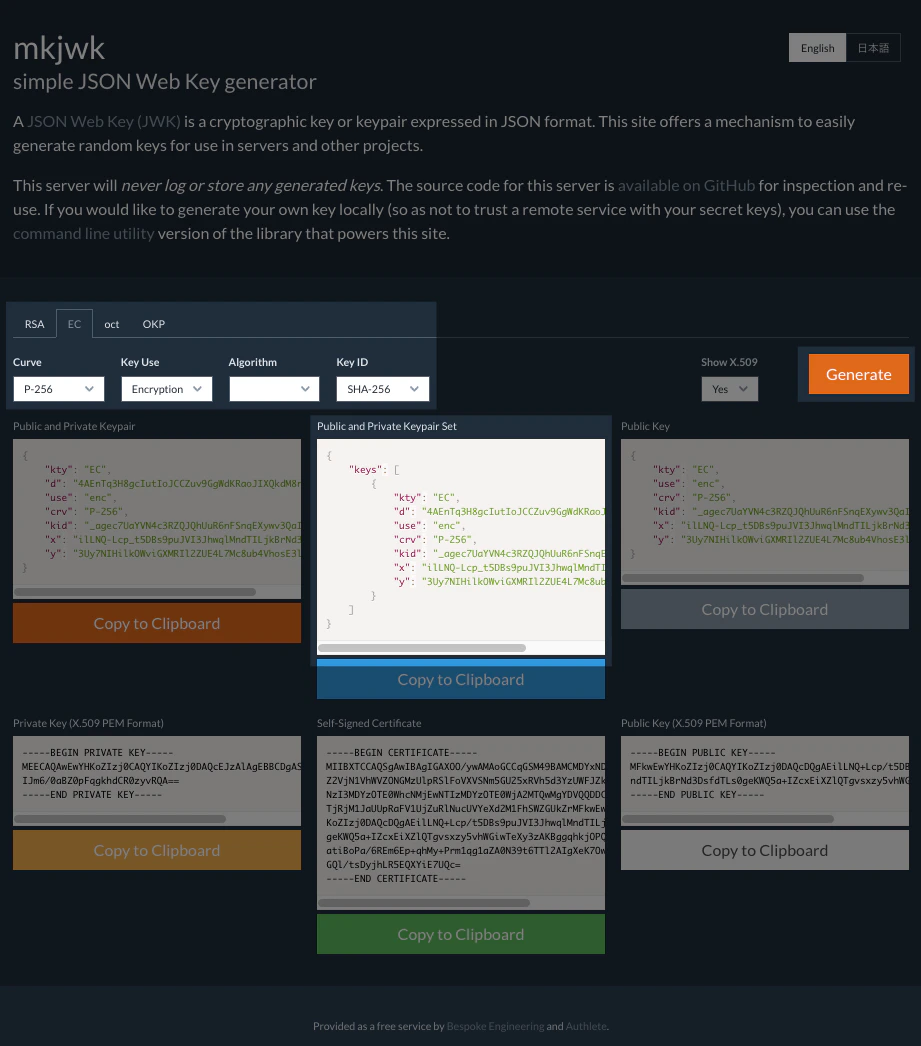
Instruction in this section is for illustrative purposes. Do not apply the following JWK set to your production environment.An administrator of the OAuth / OIDC client is to prepare a JWK set including a public key. Note that the key set must not include a private key. The following example illustrates usage of mkjwk.org service to generate a key pair for encryption, and parameters specified for it.
| Item | Value |
|---|---|
| Key Type | EC (Elliptic Curve) |
| Curve | P-256 |
| Key Use | Encryption |
| Algorithm | (none) |
| Key ID | SHA-256 |
Registering a JWK set
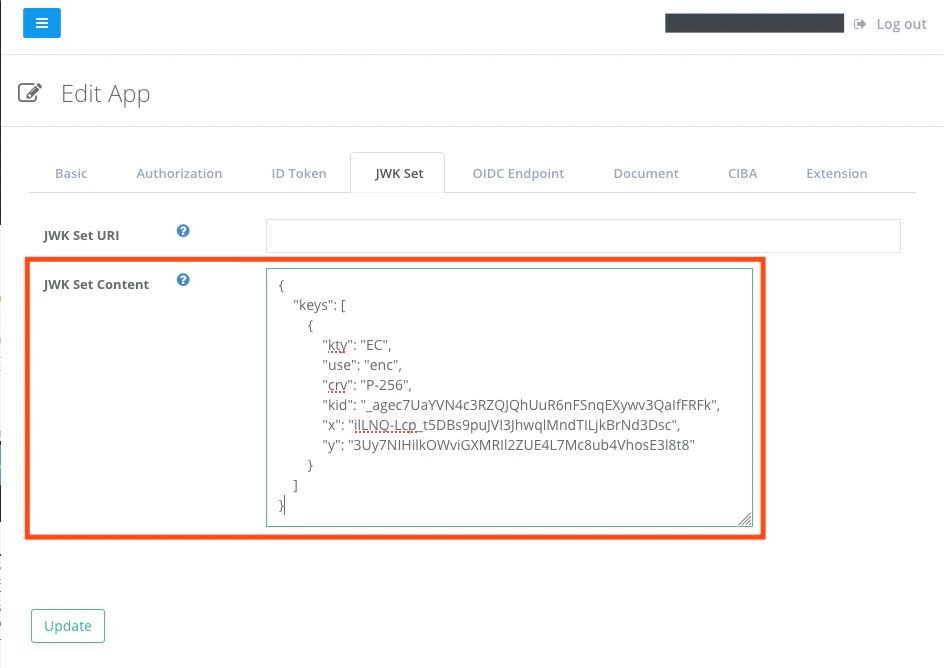
Register the public key JWK set to the settings of the OAuth / OIDC client. In Developer Console, add the JWK set to “JWK Set Content” under “JWK Set” tab for the client.