Documentation Index
Fetch the complete documentation index at: https://developers.authlete.com/llms.txt
Use this file to discover all available pages before exploring further.
This page is for Authlete 2.x. For current (3.0) documentation, see this page. JWK set settings for an Authlete Service
Preface
This article explains how to register a JWK set for an Authlete service.
Preparing a JWK set
First, this article assumes that you have prepared a JWK set in some way. The following example illustrates usage of mkjwk.org
service to generate an ES256 key pair, and parameters specified for it.
- Key Type: EC (Elliptic Curve)
- Curve: P-256
- Key Use: Signing
- Algorithm: ES256
- Key ID: 1
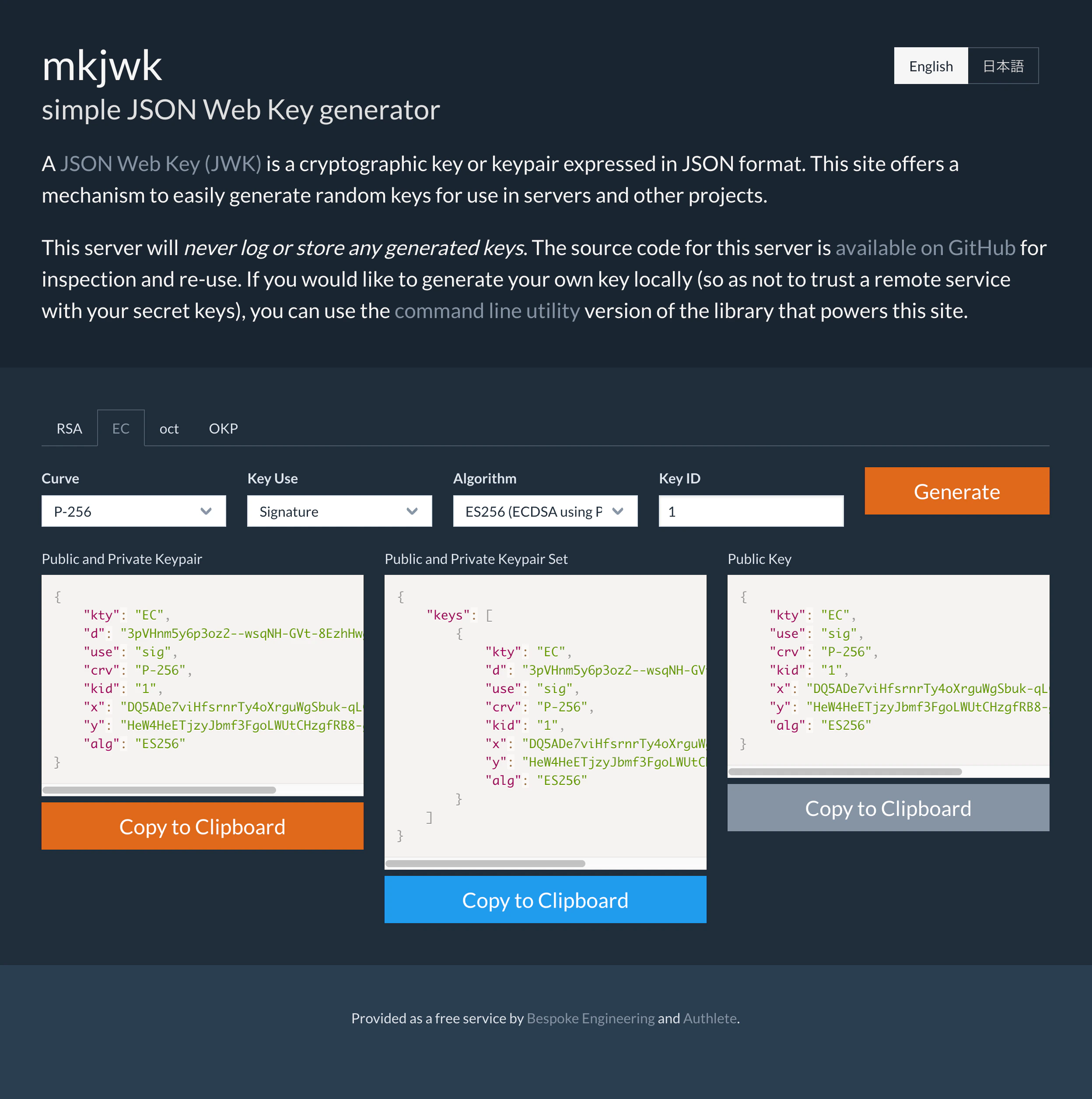 Generating a JWK Set using mkjwk
Registering the JWK set via Service Owner Console
Copy the generated content in the “Public and Private Keypair Set” section, paste it to the service’s “JWK Set Content” section in “JWK Set” tab and click “Update” button.
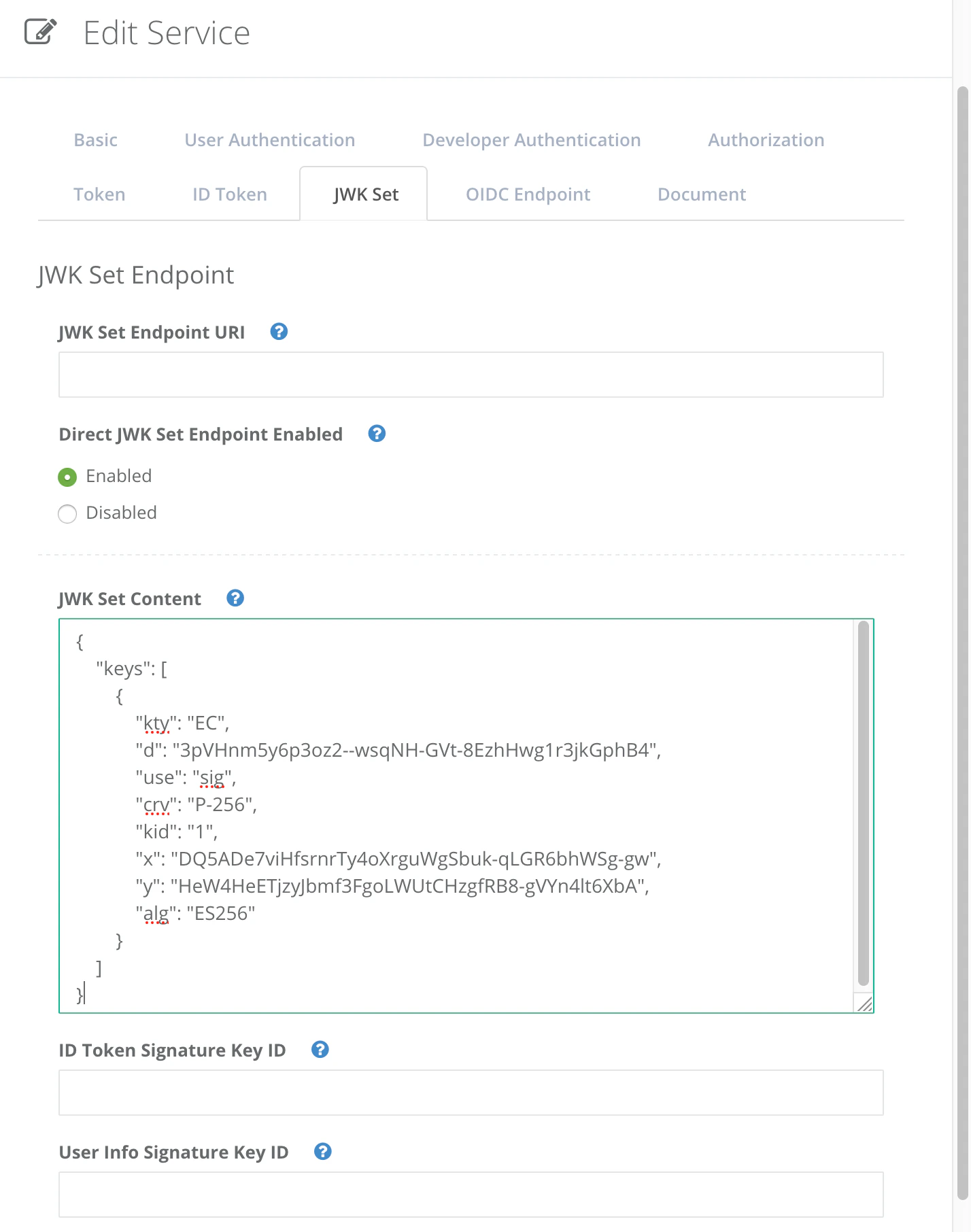 JWK Set Content
Now the JWK set has been registered in the service.
JWK Set Content
Now the JWK set has been registered in the service.
Registering the JWK set via Authlete API
You can use Authlete’s service management APIs to register the JWK set instead of using the Web console described above. The following example illustrates how to make a request to /service/update API
to specify the JWK set as a value of “jwks” key.
1. Get configuration data about the target service
Use /service/get API
to retrieve the configuration data of the service.
curl -s {Authlete API}/service/get/{Service API Key} \
   -u {Service Owner API Key}:{Service Owner API Secret} \
   -H 'Content-type: application/json' \
   > service.json
2. Add a new JWK set to the data
Add the following key/value as a JWK set to the JSON formatted configuration data retrieved above and save as updated-service.json.
{
  "jwks": {
    "keys": [
      {
        "kty": "EC",
        "d": "eb4BggIO87SUjzP1M56MeXj0NQajWBwpwiDq8yoL5n4",
        "use": "sig",
        "crv": "P-256",
        "kid": "2019-07-25_02",
        "x": "f8a6jovcRTNLDWi3_c62YcW_3ZN-GH1RkiVOZgSgIYI",
        "y": "EB3R8W12a3tgZfNer1RP0DizT3qpRybGw_krfsE0JzY",
        "alg": "ES256"
      }
    ]
  }
}
"idTokenSignatureKeyId": "2019-07-25_02"
3. Update the service with the new configuration data
Use /service/update API
to put the new configuration data that includes the JWK set.
cat updated-service.json | \
    curl -s -X PUT {Authlete API}/service/update/{Service API Key} \
    -u {Service Owner API Key}:{Service Owner API Secret} \
    -H 'Content-type: application/json' \
    -d @-
[...]
"jwks": "{\"keys\":[
    {
        \"kty\":\"EC\",
        \"d\":\"eb4BggIO87SUjzP1M56MeXj0NQajWBwpwiDq8yoL5n4\",
        \"use\":\"sig\",
        \"crv\":\"P-256\",
        \"kid\":\"2019-07-25_02\",
        \"x\":\"f8a6jovcRTNLDWi3_c62YcW_3ZN-GH1RkiVOZgSgIYI\",
        \"y\":\"EB3R8W12a3tgZfNer1RP0DizT3qpRybGw_krfsE0JzY\",
        \"alg\":\"ES256\"
    }
]}"
[...]
