For Authlete 2.x documentation, see 2.x version.

Overview

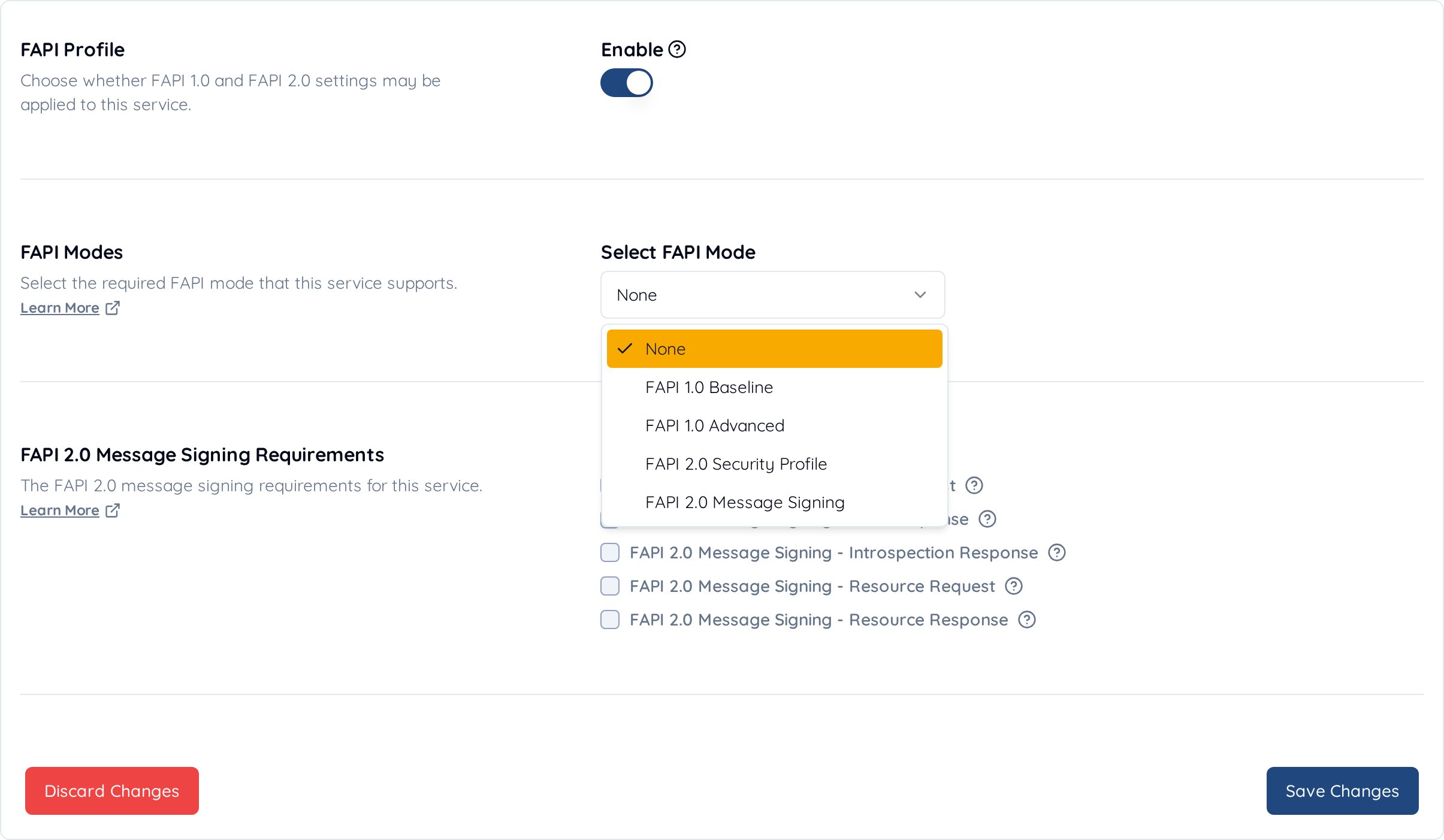
This document explains how to use Financial-grade API (FAPI) feature in Authlete.
FAPI feature is available since Authlete 2.0. If you are using Authlete 2.2+, refer to Financial-grade API (FAPI) Basics.

Introduction

FAPI Support in Authlete

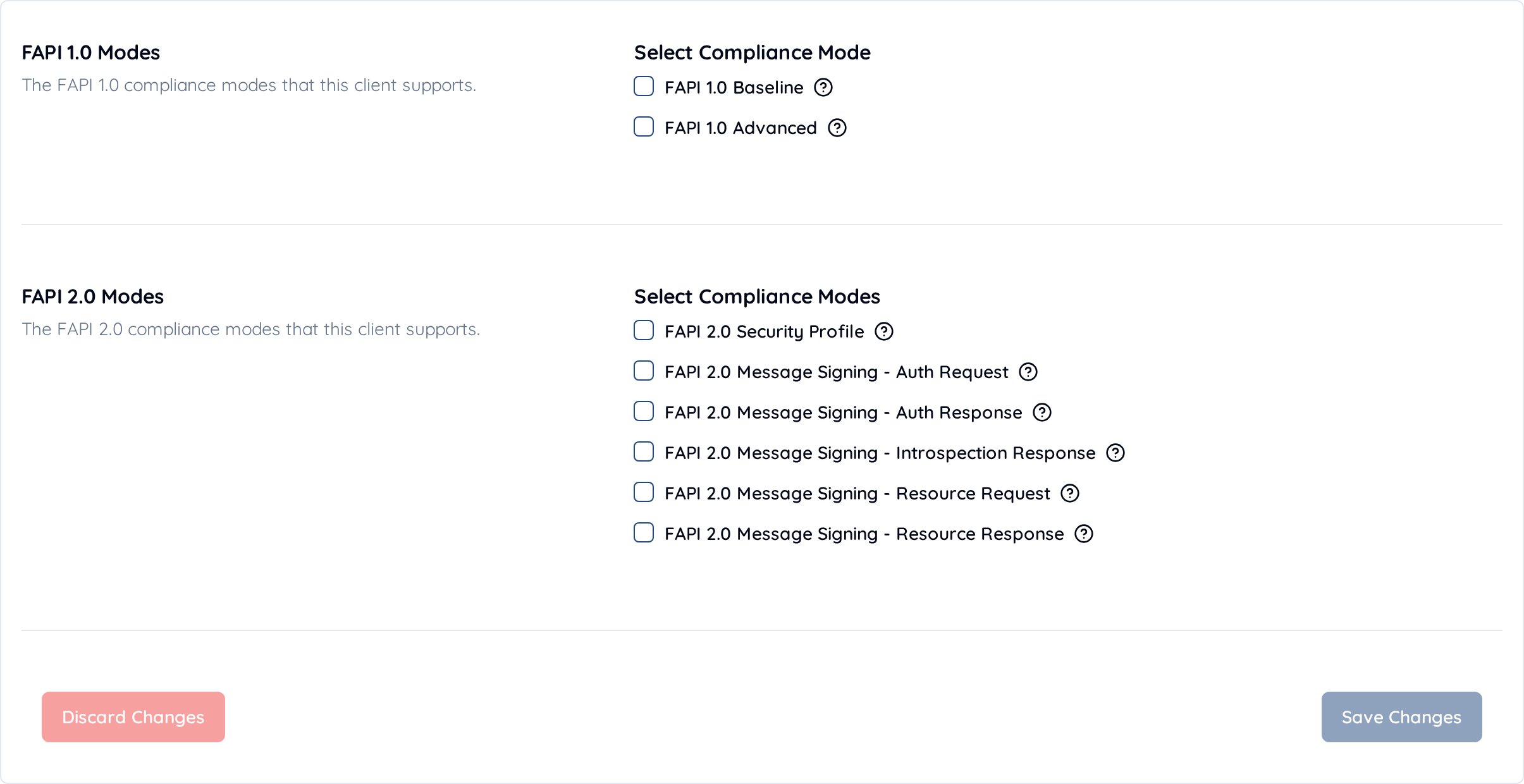
Authlete supports both major versions of the Financial-grade API (FAPI): FAPI 1.0 and FAPI 2.0. FAPI 1.0 defines two security profiles:
  • Read-only API profile (specified in Part 1)
  • Read-and-write API profile (specified in Part 2)
Each profile has distinct requirements for authorization servers, meaning the behavior of the authorization server will depend on the specific profile in use. To enable FAPI functionality in Authlete, you must configure your service and client to meet the requirements of the desired profile. Authlete supports two modes for applying FAPI conformance checks:
  1. Static Mode: All incoming requests are evaluated for compliance with the configured FAPI level. While strict, this mode may not be suitable in environments where the authorization server needs to support multiple clients with varying conformance levels.
  2. Dynamic (Runtime) Mode: FAPI conformance checks are applied dynamically based on the OAuth scope provided in each request. This mode is more flexible and allows the authorization server to serve clients with different compliance requirements.
This article focuses on enabling FAPI compliance dynamically at runtime. In this mode, the request parameters sent by the client to the authorization server must be configured properly. Important: Authlete determines whether the FAPI feature is enabled for a request based on these runtime parameters. Even if your service and client configurations satisfy the FAPI requirements, the feature will not be activated if the request parameters are misconfigured. The following steps outline how Authlete determines whether to enable FAPI at runtime:
  1. Extract the scopes included in the request or associated with the request.
  2. Check the attributes of each scope (see Appendix 1) and apply the following logic:
In the following sections, we will see more details of how to configure a service, a client and request parameters for both profiles.

Service configurations

This section explains how to configure a service to support FAPI profiles.
  1. Log in to the Management Console.
  2. Click Create New Service.
  3. On the Service Setup screen:
    • Enter a Service Name and Description.
    • Select FAPI in FAPI Service Profile.
Screen_Shot_2021-07-26_at_20

Configurations for read-only API profile

Configure a service as below.

Configurations for read-and-write API profile

To support read-and-write API profile, you need to configure a service according to the configurations for read-only API profile and the following additional configurations. (Some configurations for read-only API profile are overridden.)

Client configurations

This section explains how to configure a client to support FAPI profiles.

Configurations for read-only API profile

Configure a client as below.

Configurations for read-and-write API profile

To support read-and-write API profile, you need to configure a client according to the configurations for read-only API profile and the following additional configurations. (Some configurations for read-only API profile are overridden.)

Request

This section explains how to configure request parameters (for authorization endpoint and token endpoint) to support FAPI profiles.

Authorization request

Authorization request for read-only API profile

Requirements for request parameters Example

Authorization request for read-and-write API profile

Requirements for request parameters To support read-and-write API profile, you need to configure request parameters according to the requirements for read-only API profile and the following additional requirements. (Some requirements for read-only API profile are overridden.) Example claims structure:
Example

Token request

Token request for read-only API profile

Requirements for request parameters Example

Token request for read-and-write API profile

Requirements for request parameters To support read-and-write API profile, you need to configure request parameters according to the requirements for read-only API profile and the following additional requirements. (Some requirements for read-only API profile are overridden.) Client certificate The client needs to present a client certificate to the token endpoint as ‘TLS Client Certificate Bound Access Tokens’ is enabled for the client. Example

Appendix

1. Scope attributes

See this article.

2. JARM

See this article.

3. Requirements for key size

FAPI Part1 says
Financial Services – Financial API - Part 1, 5.2.2. Authorization Server The authorization server,
  …
  5. shall require a key of size 2048 bits or larger if RSA
    algorithms are used for the client authentication;
  6. shall require a key of size 160 bits or larger if elliptic
    curve algorithms are used for the client authentication;
Then, a public key for signing a client assertion (JWS) and a private key for verifying the signature must satisfy the following requirements.

4. Requirements for request objects

FAPI Part2 says
Financial Services – Financial API - Part 2, 5.2.2. Authorization Server The authorization server,
  …
  1. shall require the request or request_uri parameter to be passed as a JWS signed JWT as in clause 6 of [OIDC];
  …
  10. shall require that all parameters are present inside the signed request object passed in the request or request_uri parameter;
  …
  13. shall require the request object to contain an exp claim;
  …
  15. shall require the aud claim in the request object to be, or to be an array containing, the OP’s Issuer Identifier URL;
Additionally, the following requirements for JWS signature must be satisfied.
Financial Services – Financial API - Part 2, 8.6 JWS algorithm considerations Both clients and authorization servers:
    1. shall use PS256 or ES256 algorithms;
    2. should not use algorithms that use RSASSA-PKCS1-v1_5 (e.g. RS256);
    3. shall not use none;
In summary, in order to support read-and-write API profile, request objects:
  • Must be signed with the algorithm specified as ‘Request Object Signature Algorithm’.
  • Must include all the request parameters.
  • Must include the ‘exp’ claim
  • Must include the ‘aud’ claim and the value must be the value of ‘Token Issuer Identifier’.
The following example shows the payload of a request object that satisfies the requirements.