
This page is for Authlete 3.0. For 2.x, see API Authentication (2.x) — 2.x uses API key and API secret (HTTP Basic auth) rather than Bearer tokens.
API Authentication
All API endpoints are secured using Bearer token authentication. You must include an access token in every request:Getting your access token
Service Access Token
Scoped to a single service (one authorization server instance). Use it for the Core API (authorization, token, introspection) and for managing that service’s clients and settings. How to get a Service Access Token- Log in to the Authlete Console.
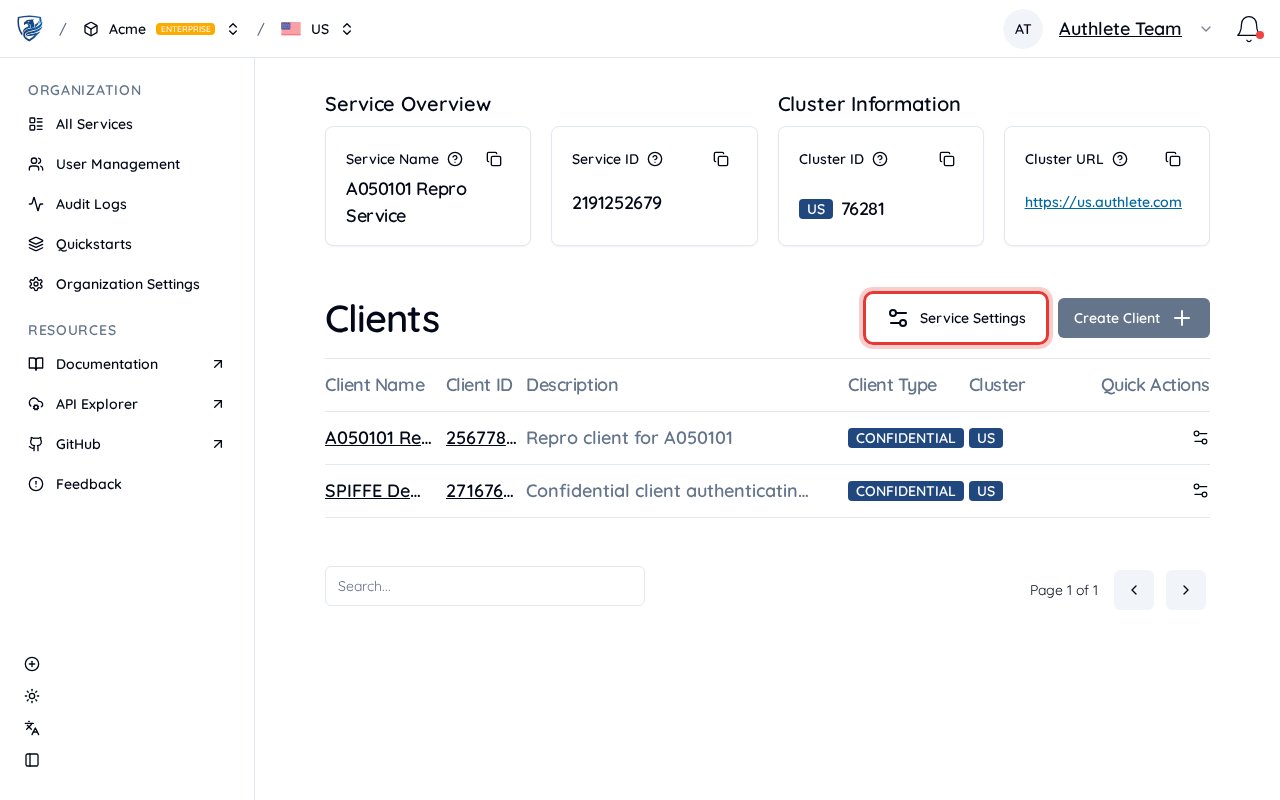
- Open the Organization that owns the service, then open the Service to view its Service Overview.
-
Click Service Settings (next to Create Client).
-
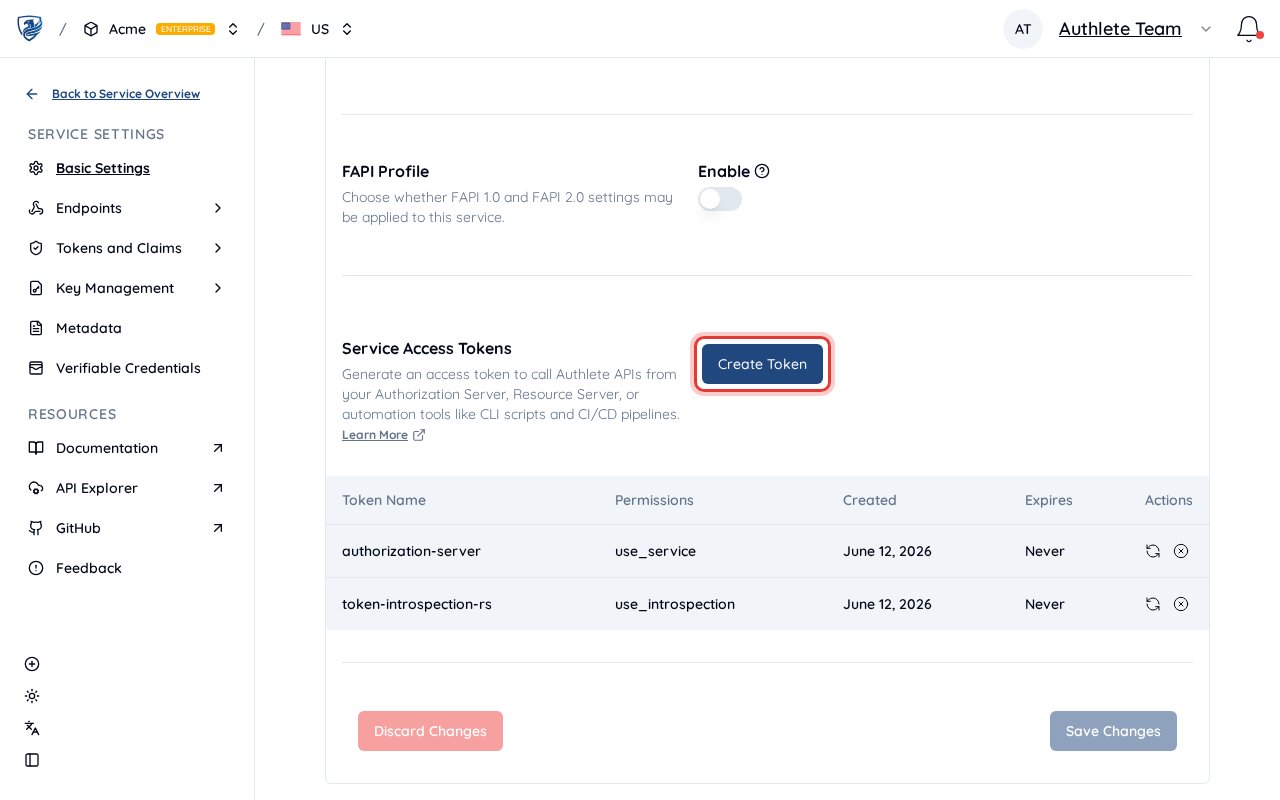
On the General tab, scroll to Service Access Tokens, then click Create Token.
-
In the dialog, set a token name and choose permissions — either a preset (Authorization Server for
use_service, Resource Server foruse_introspection, …) or individual permissions. See Permissions below.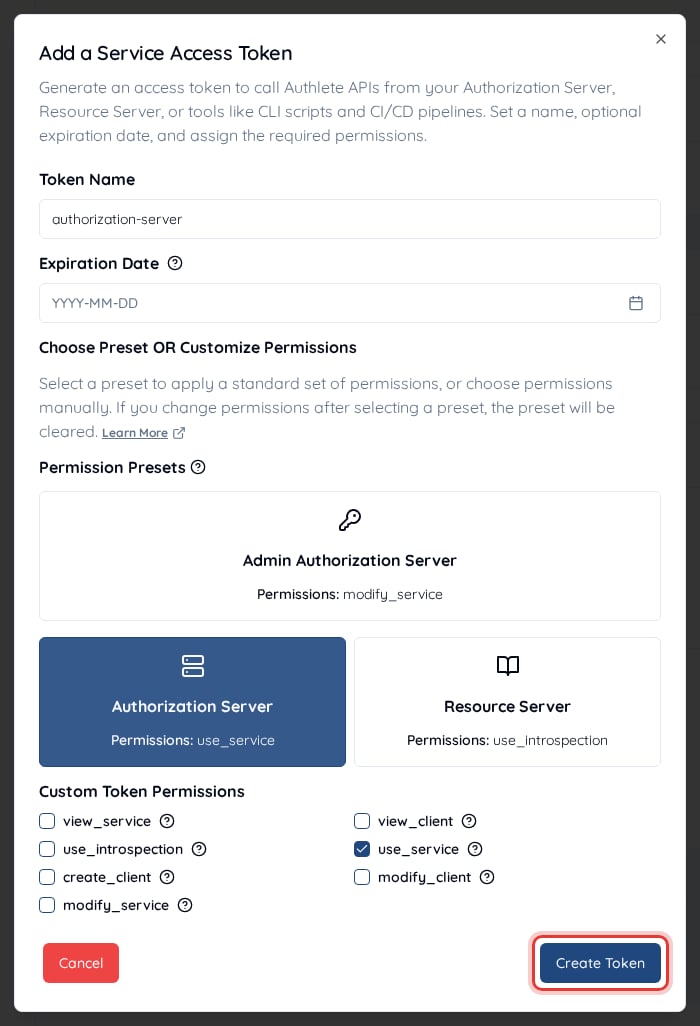
- Click Create Token to generate it, then copy the token immediately — it is shown only once. Store it in a secure place (e.g. environment variables or a secret manager).
Authorization: Bearer <token> header when calling Authlete APIs for that service.
Organization Token
Scoped to your entire organization. An Organization Token carries the broadest access: with the right permissions it can call any API on any service in the organization — including the Core API — plus organization-level operations such as creating services and reading the organization audit log. It is typically used for organization-wide management and for automation that spans multiple services (e.g. CI/CD, Terraform). How to get an Organization Token- Log in to the Authlete Console.
- Open the Organization you want a token for (or create one first).
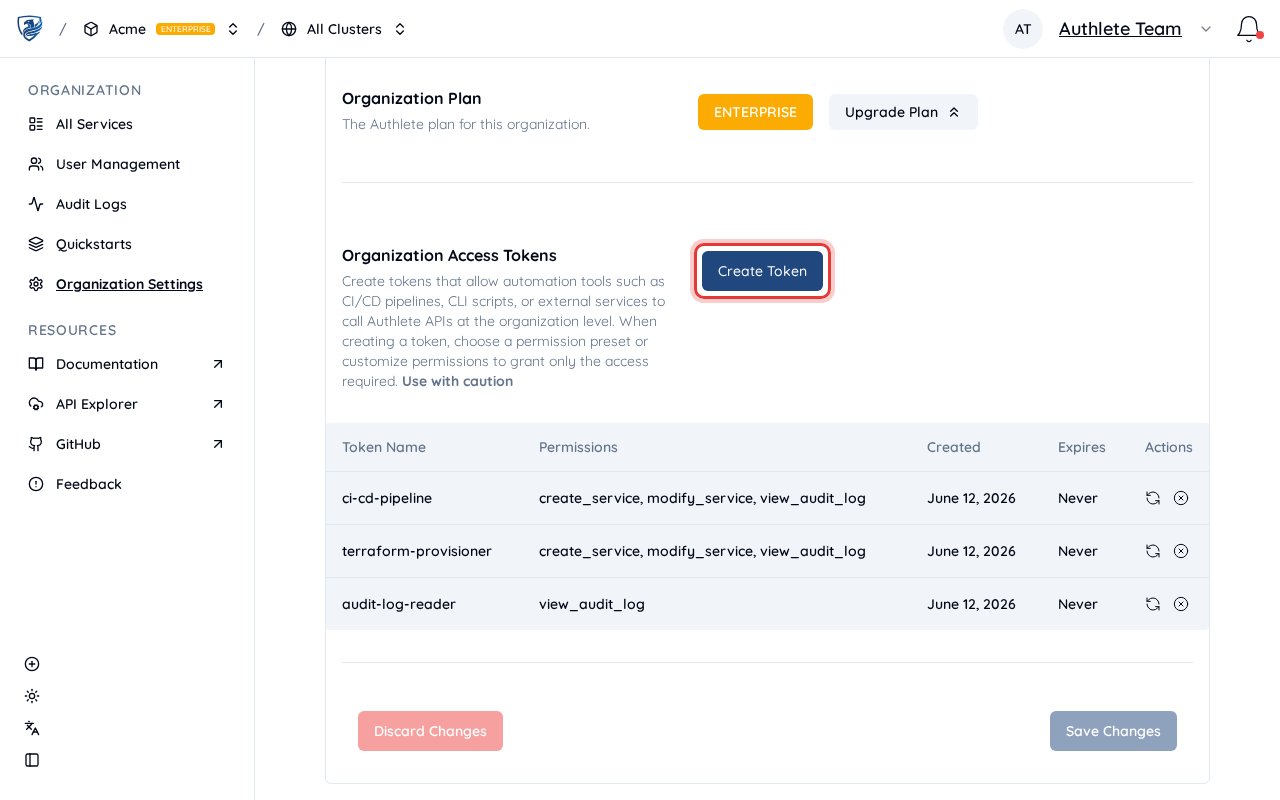
- In the sidebar, open Organization Settings.
-
On the General tab, scroll to Organization Access Tokens, then click Create Token.
-
In the dialog, set a token name and choose the org-level permissions you need — for example the Administrator preset (
create_service,modify_service,view_audit_log) for CI/CD provisioning, orview_audit_logfor read-only audit access. See Permissions below.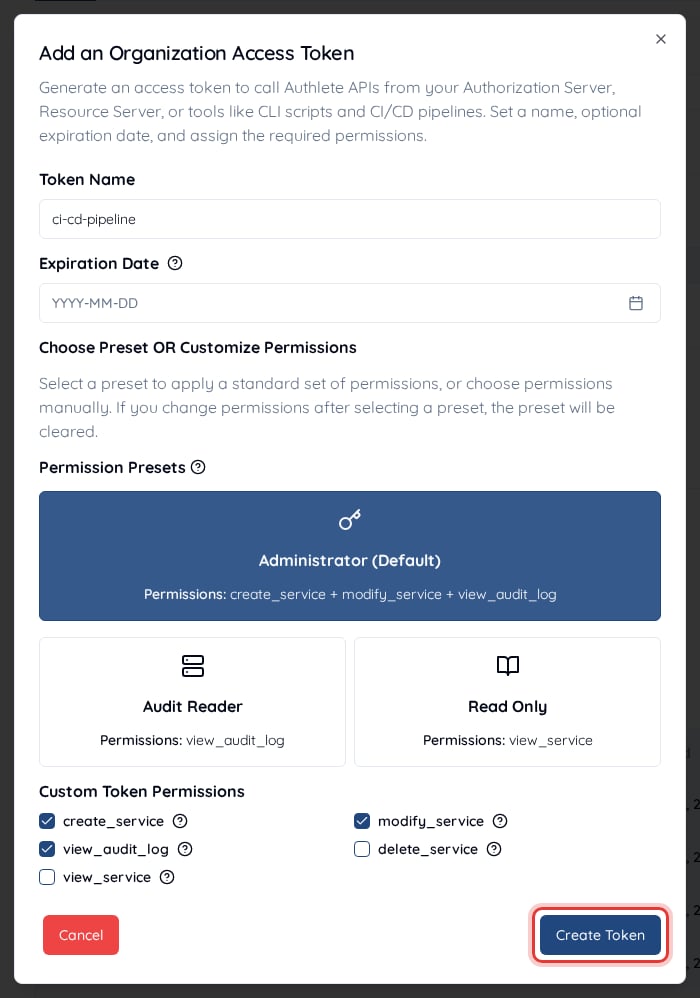
- Click Create Token to generate it, then copy the token immediately — it is shown only once. Store it securely.
Authorization: Bearer <token> header when calling Authlete APIs that require organization-level access.
Which token to use
Based on the principle of least privilege, here is the recommended token type for each use case — pick the narrowest one that covers the job:
For Core API calls, prefer a Service Access Token: it confines access to a single service, whereas an Organization Token would expose every service if it leaked. Reach for an Organization Token when the work genuinely spans multiple services or needs organization-level operations.
Permissions
Whichever token type you choose, the token carries fine-grained permissions that decide which Authlete APIs it can call — for exampleuse_service for an authorization server that calls the Core API, use_introspection for a resource server, or create_client for provisioning. You pick these when you create the token, so grant only what the workload needs (least privilege).
For the full list of permissions and the APIs each one allows, see Service Access Tokens in the developer guide.
Token security best practices
- Never commit tokens to version control — Store them in environment variables or a secure secret manager (e.g. AWS Secrets Manager, HashiCorp Vault).
- Rotate regularly — Generate new tokens periodically and revoke old ones from the console.
- Scope appropriately — Request only the permissions your application needs when creating a token.
- Revoke unused tokens — Delete tokens you are no longer using from the console.
Quick test
Verify your token works with a simple API call:us.authlete.com with your cluster host (e.g. eu.authlete.com, jp.authlete.com) if you use a different region.
Next steps
- Getting Started — Create an account, organization, and service.
- Using Demo Authorization Server — Create a service, generate a Service Access Token, and run a demo authorization server.
- OAuth 2.0 Basics — A tutorial on how an authorization server leverages Authlete APIs.