
Documentation Index
Fetch the complete documentation index at: https://developers.authlete.com/llms.txt
Use this file to discover all available pages before exploring further.
For Authlete 2.x documentation, see 2.x version.
Overview
When you update the “token duration” settings on an Authlete service that has already been issuing tokens, Authlete will:- Retain the original duration settings for tokens issued before the change.
- Apply the new duration settings to tokens issued after the update.
Access Tokens
The new duration settings are to be applied on (re)issuing access tokens on token requests with various grant types including refresh token grant.\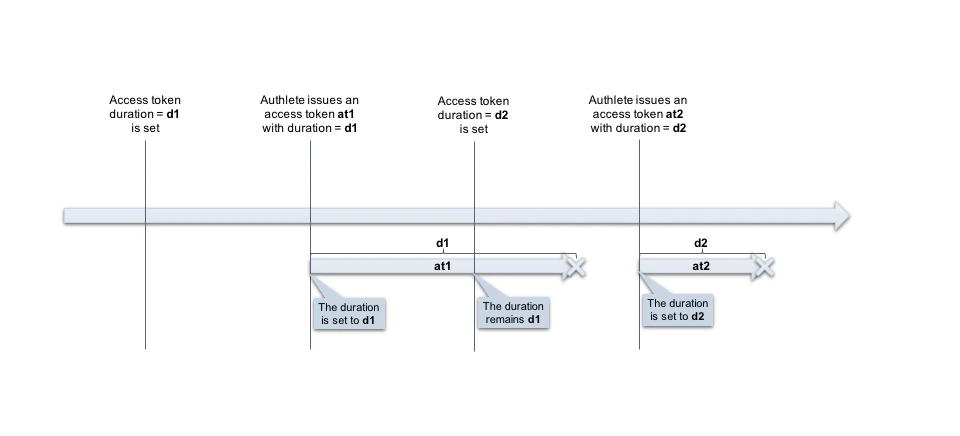
Refresh Tokens
The duration change may affect refresh tokens based on “**Refresh Token Rotation **” settings. To configure Refresh Tokens settings:- Navigate to Service Settings > Tokens and Claims > Refresh Tokens
- Enable your desired Refresh Token Rotation options.
-
Click
Save Changesto apply the updates.

Enable Token Rotation
The
Enable Token Rotation Configuration item controls whether to keep a refresh token valid after its use or invalidate the used refresh token and issue a new one.
-
If “Enable Token Rotation” is
enabled- The new duration won’t be effective until the existing refresh token is expired and reissued.\
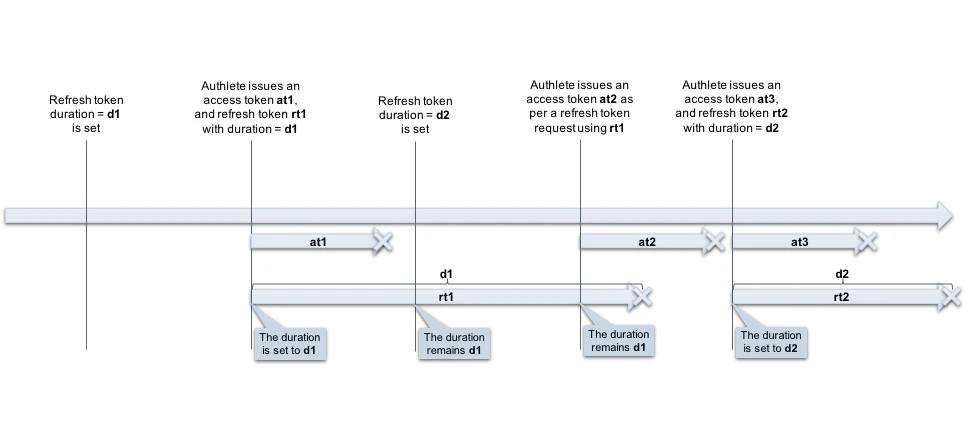
- The new duration won’t be effective until the existing refresh token is expired and reissued.\
-
If “Enable Token Rotation” is
disabled- The new duration is effective for a new refresh token that is to be issued along with a new access token on refresh token grant (using the old refresh token).
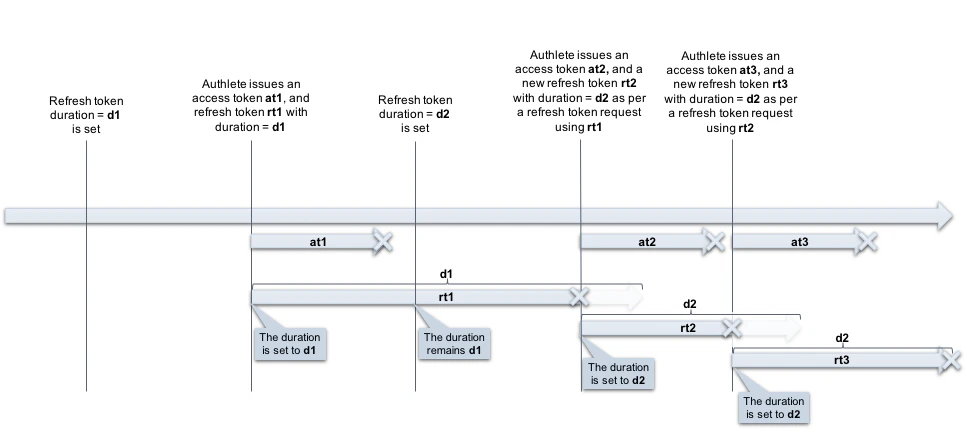
- The new duration is effective for a new refresh token that is to be issued along with a new access token on refresh token grant (using the old refresh token).
Enable Duration Takeover
- If “Enable Duration Takeover” is
enabled- The remaining duration of a used refresh token is transferred to the newly issued one. This setting has no effect when Enable Token Rotation is on.