
Documentation Index
Fetch the complete documentation index at: https://developers.authlete.com/llms.txt
Use this file to discover all available pages before exploring further.
For Authlete 2.x documentation, see 2.x version.
Overview
Client attributes are arbitrary attributes in key-value format and associated on a per-client basis. An authorization server would use the attributes, for example, to define affiliations or roles of clients, to control authentication and authorization flows, and to determine scopes of access tokens and claims in ID tokens to be created. Resource servers would also use the client attributes, resulting from introspection, to make API responses that should be returned to the requesting client.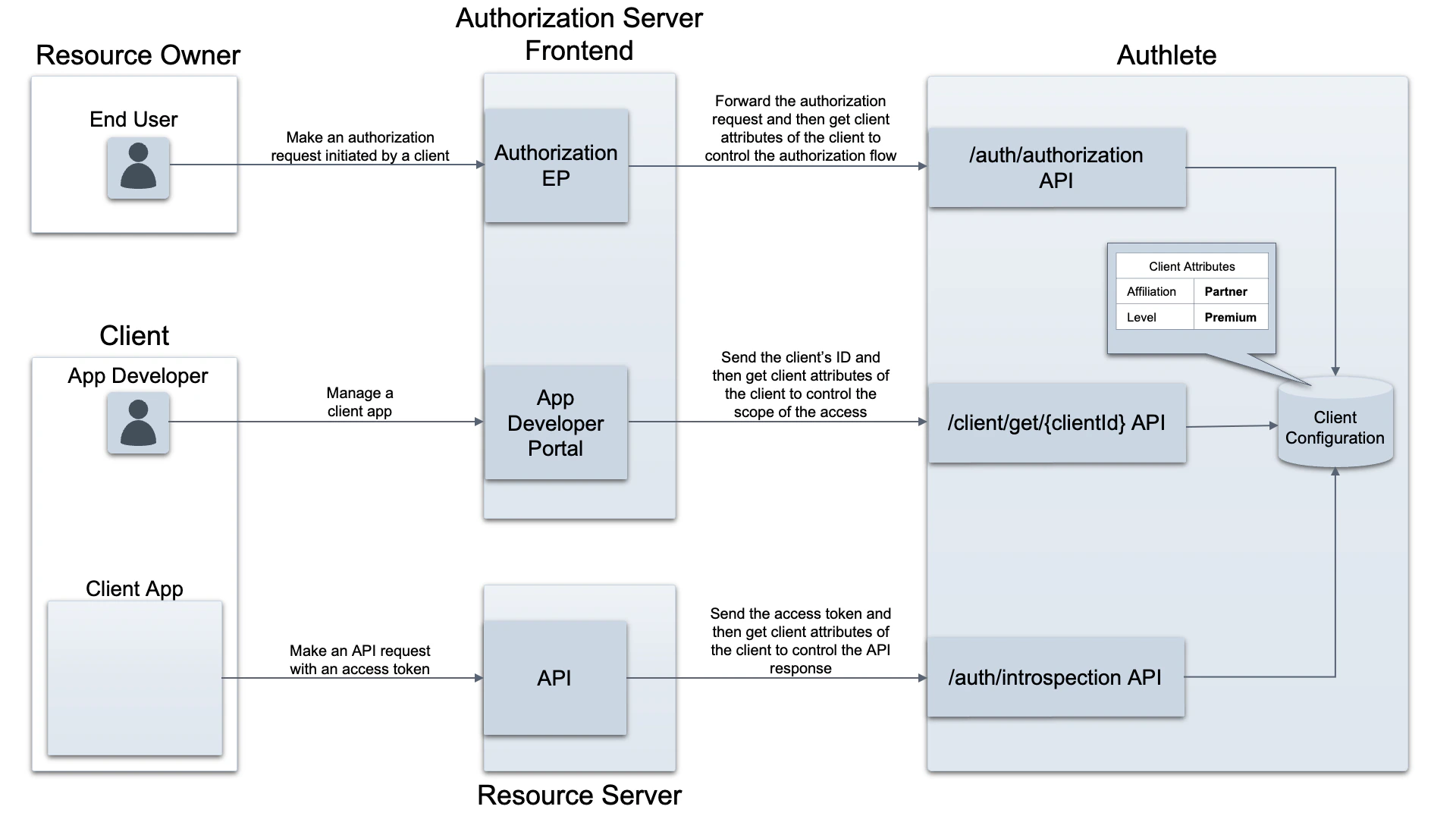
This feature is available in Authlete version 2.2 or later.
Configuration
To set client attributes, follow the steps below.- Log in to the Authlete Management Console
- Click on your Organization name and choose your Service.
- Navigate to Client Settings > Basic Settings > Advanced
- Scroll down to
Client Attributesand click theaddbutton. - Enter values of “Key” and “Value” for the new attribute and click the
Savebutton. Note that these values of each attribute are treated as a string. - Click
Save Changesto apply updates.
 Configuration of client attributes
Use cases
You can use client attributes in a variety of situations. Here are some typical use cases.Control of Configuration Items in Client Management
Client attributes can be obtained as part of the client information. The following is an example response from Authlete’s GET /client/get/ API.Control of authorization flows
An authorization server can use client attributes obtained as a response from Authlete’s POST /auth/authorization API to control the subsequent authorization flow. The following is an example of an API response.partner’ and informs the user during authentication or consent confirmation that the client requesting access is an external partner application.