
Introduction
Between the security concerns often raised to OAuth 2 deployments are the exposure of authorization requests parameters and how they can be easily tampered. This was addressed by OpenID Connect protocol by introducing Requests Objects on authorization request, but it was restricted to OpenID Foundation. With the JWT Secured Authorization Requests (or JAR for short), the IETF brings the option for serializing the authorization request in a JWT format. The specifications are very close but there are some differences on how to process JAR and OIDC Requests Object in the context on the authorization requests. If you are looking for the OIDC Request Object, check Using Request Objects note. Using a signed JWT structure for the authorization request, the server can validate if the request was tainted and the source of the request can be authenticated. Encryption is also available, allowing the authorization requests to be transported publicly with the proper secrecy required by the use case. This article describes how AS and clients can leverage JAR support on Authlete.Authlete support for JAR
The JAR related configuration can be done in two levels on: Service and Client based.Configuring JAR configuration on service level
The administrator can define the security requirements to JAR and its processing across the clients. You can find the JAR related parameters grouped under “Request Object” section on Authorization tab of the Service Owner console. The most impactful parameter is the “Request Object Processing”, as its background is the conflict between OpenID specification and JAR. This parameter changes how the authorization requests parameters are processed when they are duplicated in the request URI and JWT are processed. For a more detailed description of the differences, check the article Implementer’s note about JAR under section “Conflicts”. When running with “JAR compatible” selected, the parameters on the request URI are ignored. When running on “Backward compatible” the parameters are merged. If you are configuring Authlete service for FAPI, check the note Configuring Authlete for FAPI compliance.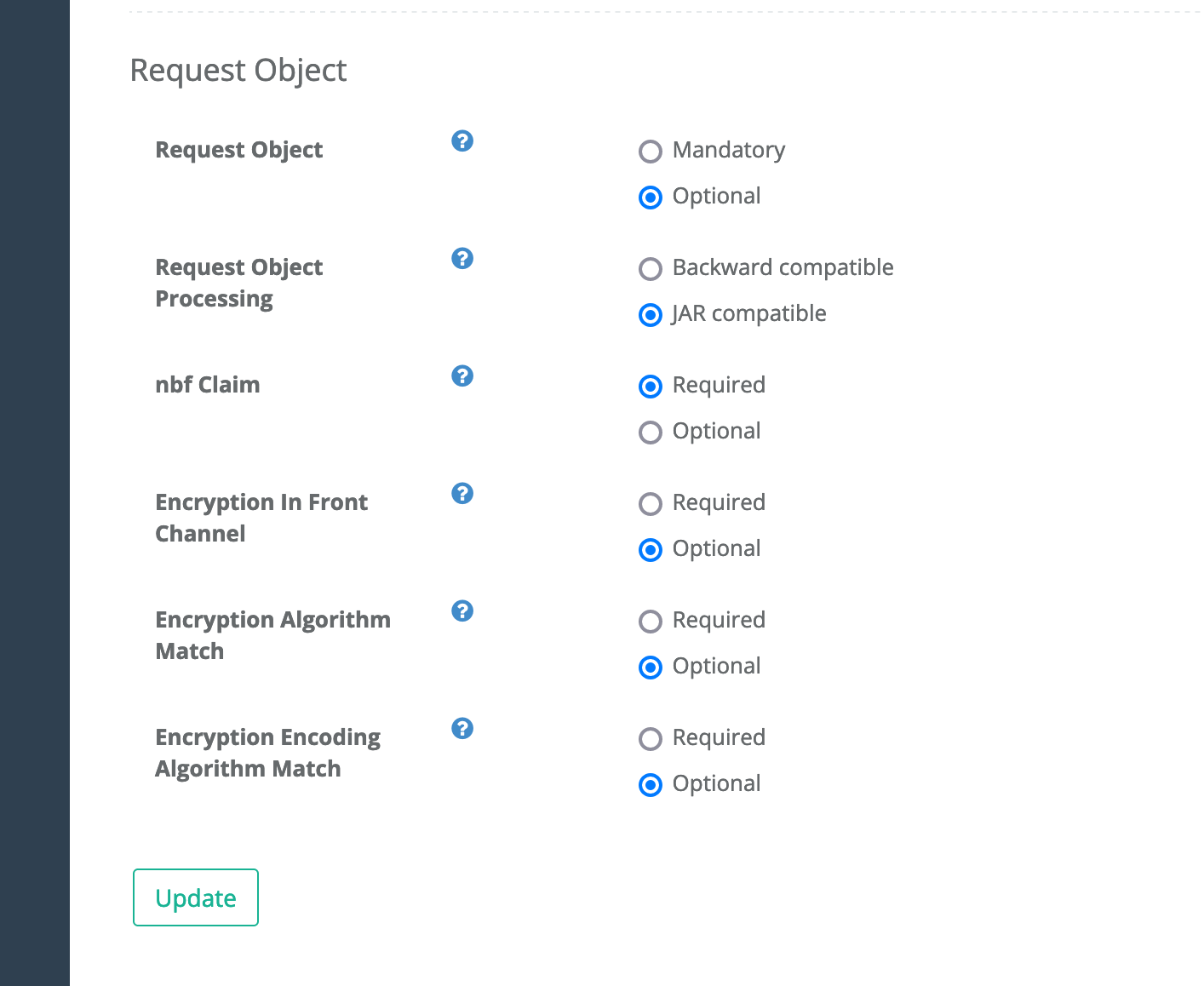
Configuring JAR support on client level
There are 2 configuration portions per client that are available to administrators on Developers Console.Setup required keys
For the usage of JAR requests, the client must be configured with public keys using the JWK format. This is available under JWK Set tab for the specific client. Authlete allows the JWK Set to be assigned directly to the client, using the JWK Set Content attribute on the image below, or a URL pointing to a public JWK endpoint containing the keys used to sign and optionally encrypt the JAR.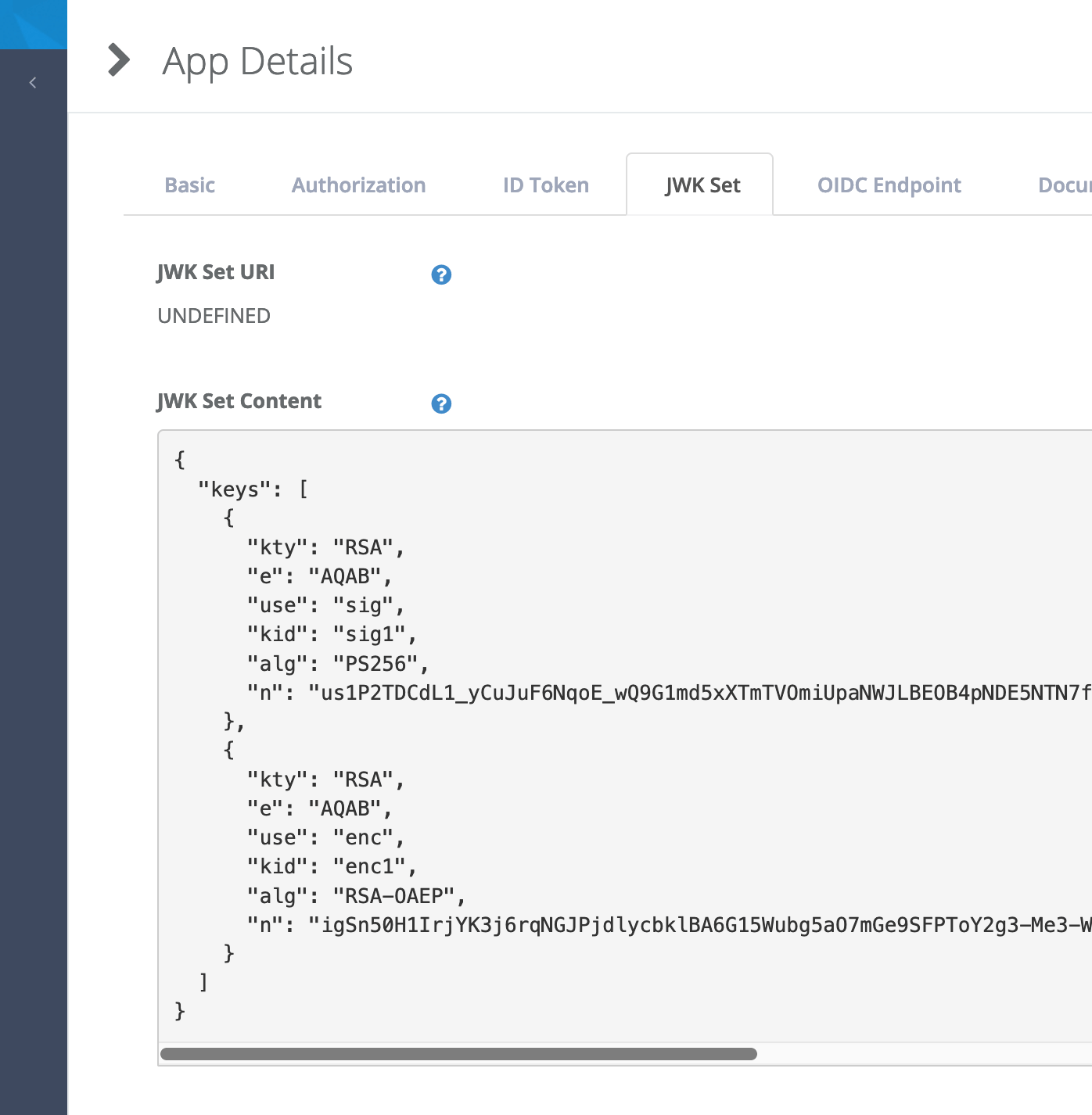
JAR requirements on client level
Authlete allow the administrator to tight the security for specific client by requiring the usage of JAR, encryption of it and the usage of specific algorithms during encryption. The opposite direction is not available: For instance if the service is configure to require JAR, every client will be required, regardless if the client is configured for Optional.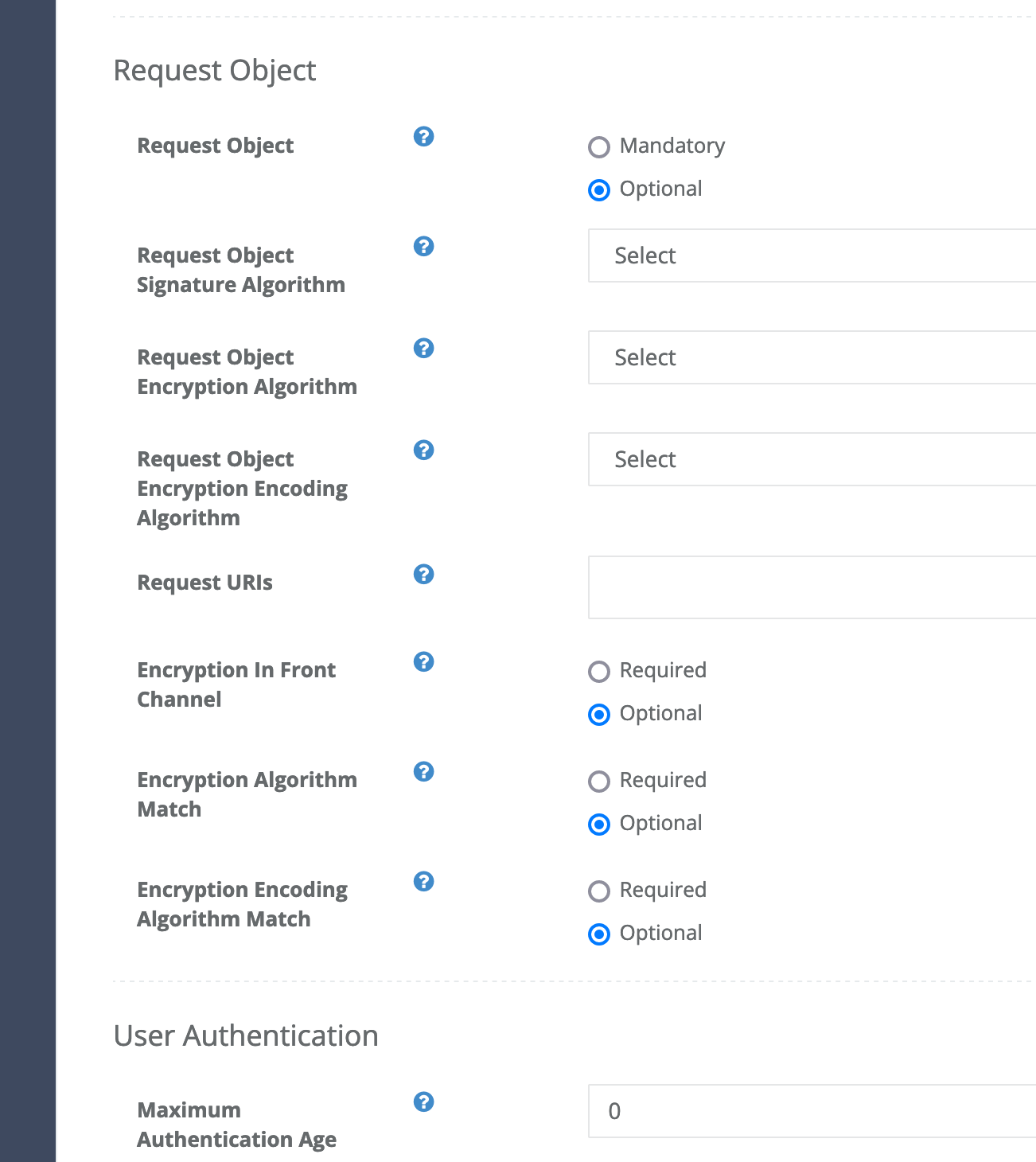
JWT Authorization Request structure
The structure of the JWT containing the authorization request is a direct map from uri parameters do JWT claims like below:
The “iss” and “aud” claims are mapped from the client_id and the issuer configured on Authlete service respectively.
For the signing and encryption, check the libraries available to your env and language.
Signed JAR
Signed JAR is the most basic form, as JAR specification requires that JWT to be signed. The clients have available multiple libraries that support JWT signing as per specification. Regardless of submitting the JAR via URI on authorization request or via body of PAR authorization, the structure of the JWT and its content is the same. For instance:
That JWT content when signed using RSA256 and a random key created using mkjwk will be as below
Authorization request
The sample below shows the request the authorization server can make to Authlete authorization endpoint to submit the JAR request above as request uri, or front-channel. Be aware that any other parameter on the parameter content will be ignored as per JAR specification requirement. Theparameters value below packs the client_id and request (the JAR JWT shown above) query parameters into a single string.
if the authorization server is required to reason about the authorization request and further process it before proceeding. the object payload can be parsed and processed accordingly.
Pushed Authorization Request
The exactly same JAR can be pushed to authorization server and /api/pushed_auth_req counterpart is available for you. The PAR request to Authlete from authorization server will take the form as below, again packing theclient_id and request query parameters into the parameters value