
For Authlete 2.x documentation, see 2.x version.
Preface
As a general recommendation, prioritize using the authorization code flow (with PKCE). If the authorization code flow is not an option, carefully evaluate and consider alternative methods only after thoroughly understanding the characteristics and implications of each flow.Grant Types in the Authlete Management Console
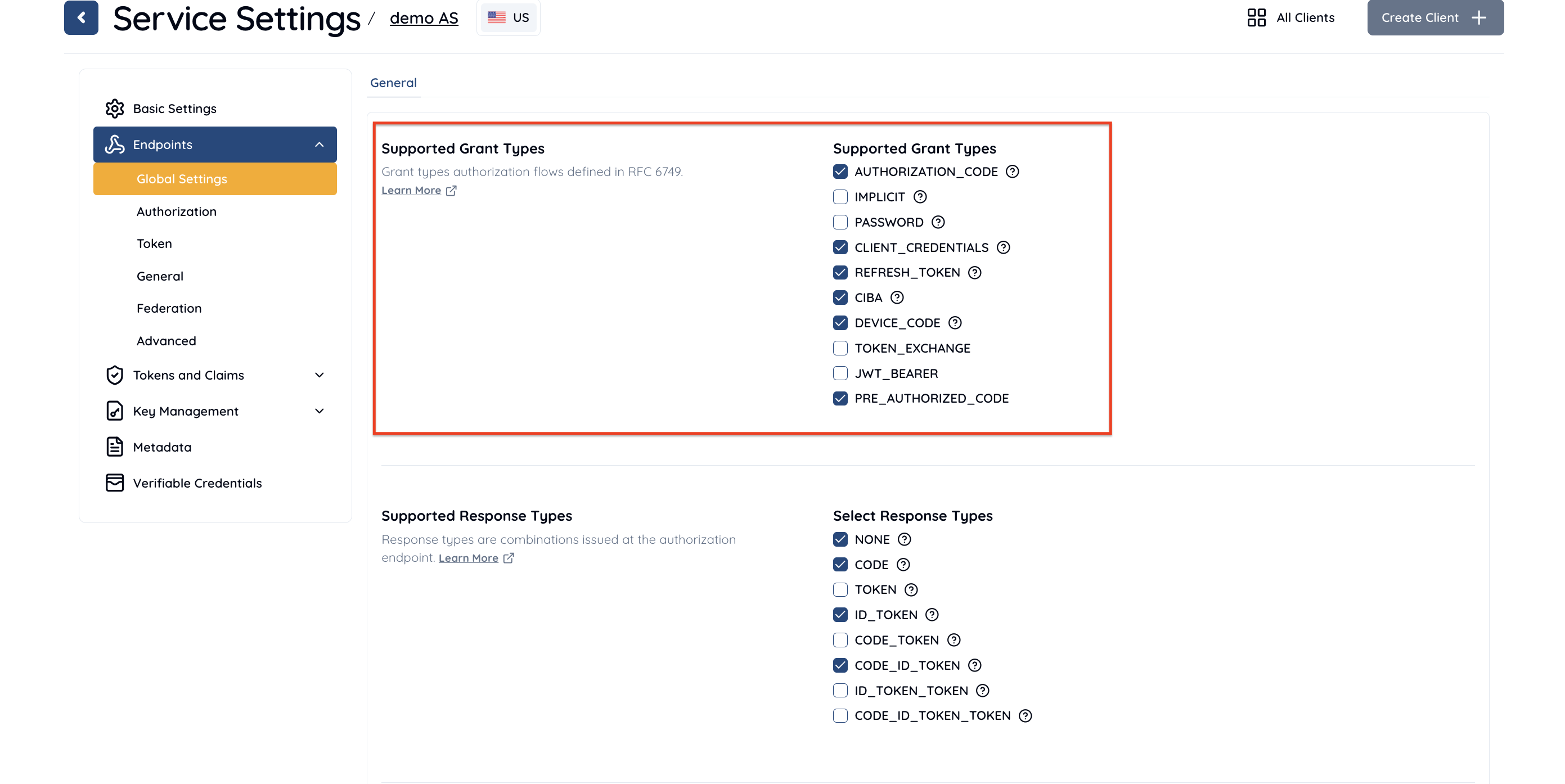
You can configure Grant Types in the Authlete Management Console. Authlete supports the following grant types:AUTHORIZATION_CODEIMPLICITPASSWORDCLIENT_CREDENTIALSREFRESH_TOKENCIBADEVICE_CODETOKEN_EXCHANGEJWT_BEARERPRE_AUTHORIZED_CODE
Service Settings
Authlete allows grant type configuration in service settings:- Log in to the Authlete Management Console
- Click on your Organization name and choose your Service.
- Navigate to Service Settings > Endpoints > Global Settings
- Under the Supported Grant Types section, select desired grant types.
- Click Save Changes to update your service settings.
Client Settings
Authlete allows grant type configuration in client settings:- Log in to the Authlete Management Console
- Click on your Organization name and choose your Service.
- Navigate to Client Settings > Endpoints > Global Settings
- Under the Supported Grant Types section, select desired grant types.
- Click Save Changes to update your client settings.

Grant Flow Details
The grant types defined inRFC6749 are as follows: There are five types. For each grant type, the elements issued from the authorization endpoint or token endpoint to the client application differ.