Preface
This article describes an example on how to configure Authlete to generate encrypted ID tokens for a particular client.Preparing and registering a JWK set
Prepare and register a JWK set to be used for encrypting ID tokens. See the following article for instructions. In this example, the following JWK set is registered.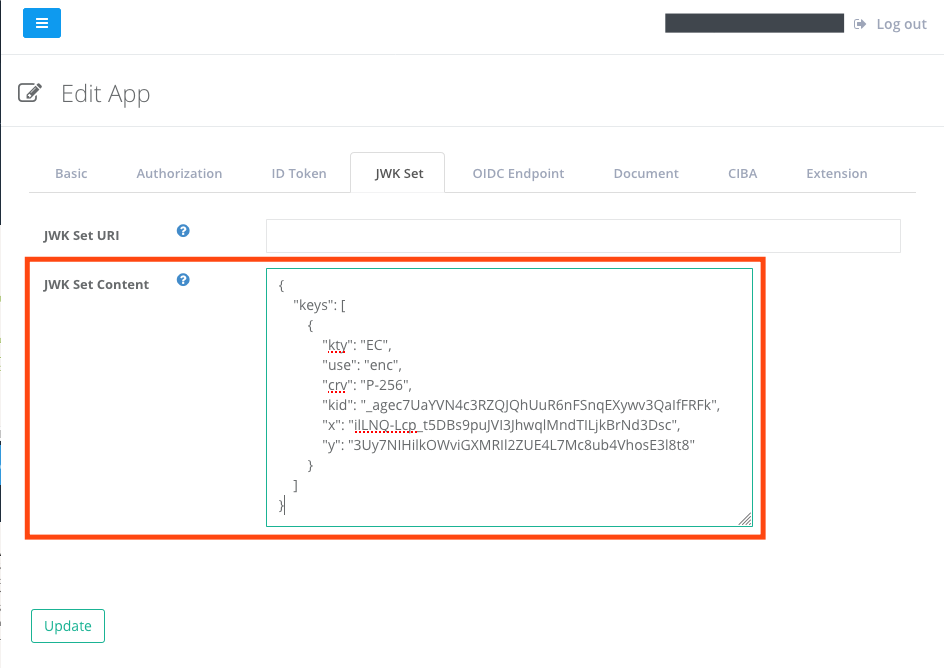
Configuring ID token encryption
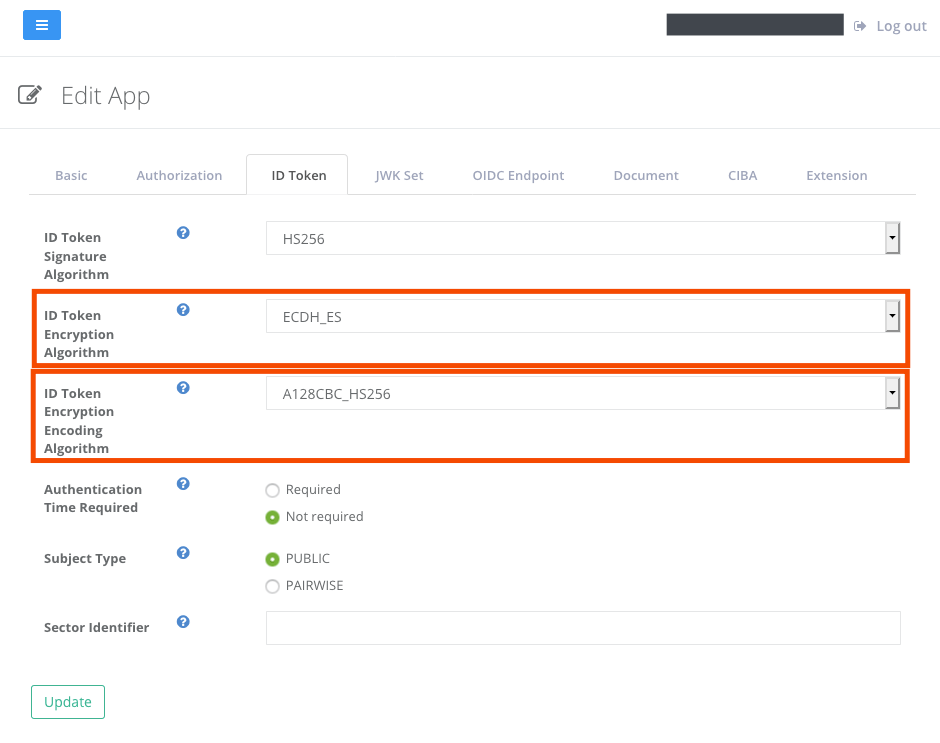
Choose encryption algorithm of ID token for the client. See Client Settings - JWK Set for details. In this example, the following settings in accordance with the registered public key are specified: