This page is for Authlete 2.x. For current (3.0) documentation, see this page.

Preface

This article describes setup instructions for Authlete to use  “Mutual-TLS certificate-bound access tokens,” defined in “RFC 8705 OAuth 2.0 Mutual-TLS Client Authentication and Certificate-Bound Access Tokens.”
“Mutual-TLS certificate-bound access tokens” works independently of the “mutual-TLS client authentication.” Check out the following article on the client authentication method.

How it works
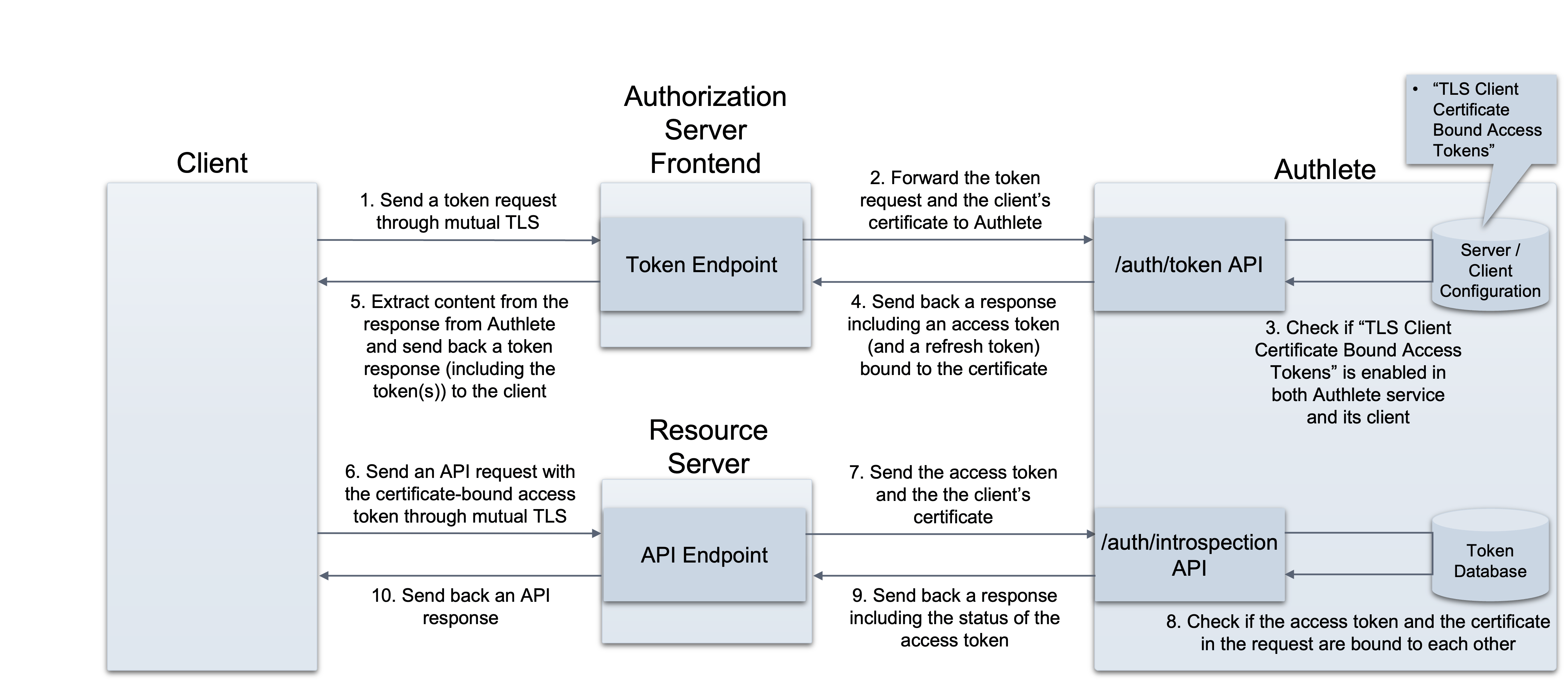
mtls-certificate-bound-access-token Authlete APIs work as follows, once the “Mutual-TLS certificate-bound access tokens” settings have been enabled:
  • POST /auth/token API
    • It receives a client certificate (clientCertificate) as a request parameter and binds it with an access token to be issued.
    • If using JWT-formatted access tokens is enabled, the API includes a thumbprint of the client certificate into an access token to be issued.
  • POST /auth/introspection API
    • It receives an access token and a client certificate as request parameters and checks if both are bound to each other.
  • POST /auth/introspection/standard API
    • It receives an access token (token) as a value included in one of request parameters (parameters) and provides a thumbprint of the client certificate bound to the token.
With these APIs, only the clients that can submit their client certificates through mutual TLS connection are able to prove their possession of access tokens and use the tokens for API requests. In other words, the tokens are no longer useful for other clients.

Configuration

Service settings for access token configuration

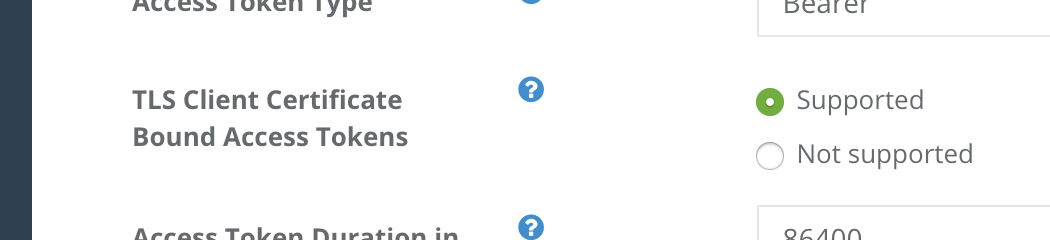
Log into Authlete’s Service Owner Console , click “Edit” button in the bottom of the page to make settings editable, and go to Token tab. There should be Access Token section. Choose the following option for TLS Client Certificate Bound Access Tokens. fapi-service-certboundtoken TLS Client Certificate Bound Access Tokens in Service Owner Console
Client settings for access token configuration

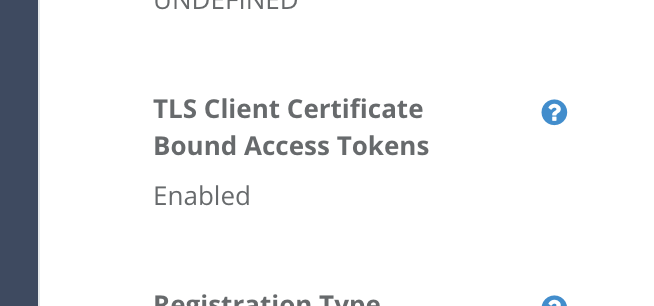
Log into Developer Console for the service, click a link to the client, click “Edit” button in the bottom of the page to make settings editable, and go to Basic tab. Choose the following option for TLS Client Certificate Bound Access Tokens. fapi-client-certboundtoken TLS Client Certificate Bound Access Tokens in Developer Console With these configuration, “Mutual-TLS certificate-bound access tokens” are ready for use.
Examples

The following examples are requests and responses of the APIs. (folded for readability)

/auth/token API

Request

An authorization server establishes a mutual TLS connection with a client, extracts the client’s certificate from the connection, and make a request to Authlete using the certificate as a value of “clientCertificate.”

Response

Authlete issues an access token bound with the client certificate.
If using JWT-formatted access tokens is enabled, an access token looks like this:
Payload part of the access token includes a thumbprint of the certificate as follows.

/auth/introspection API

Request

An authorization server establishes a mutual TLS connection with a client, extracts the client’s certificate from the connection, and make a request to Authlete using the certificate as a value of “clientCertificate.” A resource server establishes a mutual TLS connection with a client, extracts the client’s certificate from the connection, and make a request to Authlete using the certificate as a value of “clientCertificate.”

Response

If it is confirmed that the access token (token) is bound with the client certificate (clientCertificate), Authlete sends the following response. It includes a value of thumbprint of the client certificate (certificateThumbprint).

/auth/introspection/standard API

Request

A resource server send the access token in question, to an authorization server’s token introspection endpoint. The authorization server forwards the request content to Authlete.

Response

If it is confirmed that the access token (token) is bound with the client certificate (clientCertificate), Authlete sends the following response. It includes a value of thumbprint of the client certificate (certificateThumbprint). If it is confirmed that the access token is bound with a client certificate, Authlete sends responseContent including a thumbprint of the certificate. The authorization server sends the content back to the resource server as a response from its token introspection endpoint.