> ## Documentation Index
> Fetch the complete documentation index at: https://developers.authlete.com/llms.txt
> Use this file to discover all available pages before exploring further.
# Changing signing key for ID tokens
> Guide on changing a signing key for ID tokens by configuring both a service of Authlete and a client registered to the service.
This page is for **Authlete 2.x**. For current (3.0) documentation, see [this page](/configuration-reference/tokens-and-claims/changing-signing-key-for-id-tokens).
## Overview
This article explains an example on changing a signing key for ID tokens. In order to have Authlete to sign an ID token with the new key, you may have to configure both a service of Authlete and a client registered to the service.
## Service settings
Register a JWK set document to "JWK Set Content" section in Service Settings. See the following article for instructions.
* [JWK set settings for an Authlete service](/configuration-reference/key-management/jwk-set-settings-for-an-authlete-service)
After the registration, add the value of "kid" of this keypair set ("1" in this example) to "ID Token Signature Key ID" section in the same "JWK Set" tab.
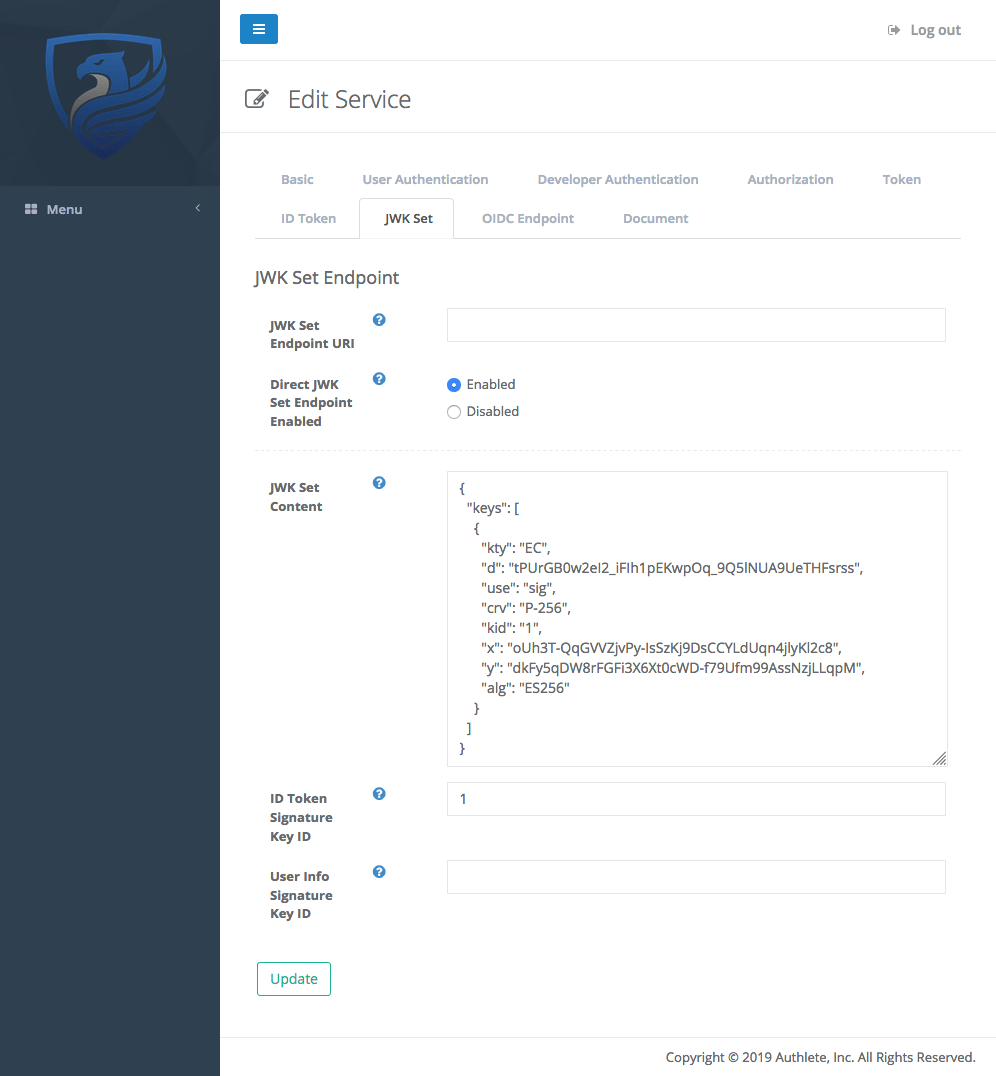 *ID Token Signature Key ID*
## Client settings
In order for the Authlete service to issue an ID token signed with the new key (signature algorithm: ES256), choose "ES256" on "ID Token Signature Algorithm" section in Client Settings.
*ID Token Signature Key ID*
## Client settings
In order for the Authlete service to issue an ID token signed with the new key (signature algorithm: ES256), choose "ES256" on "ID Token Signature Algorithm" section in Client Settings.
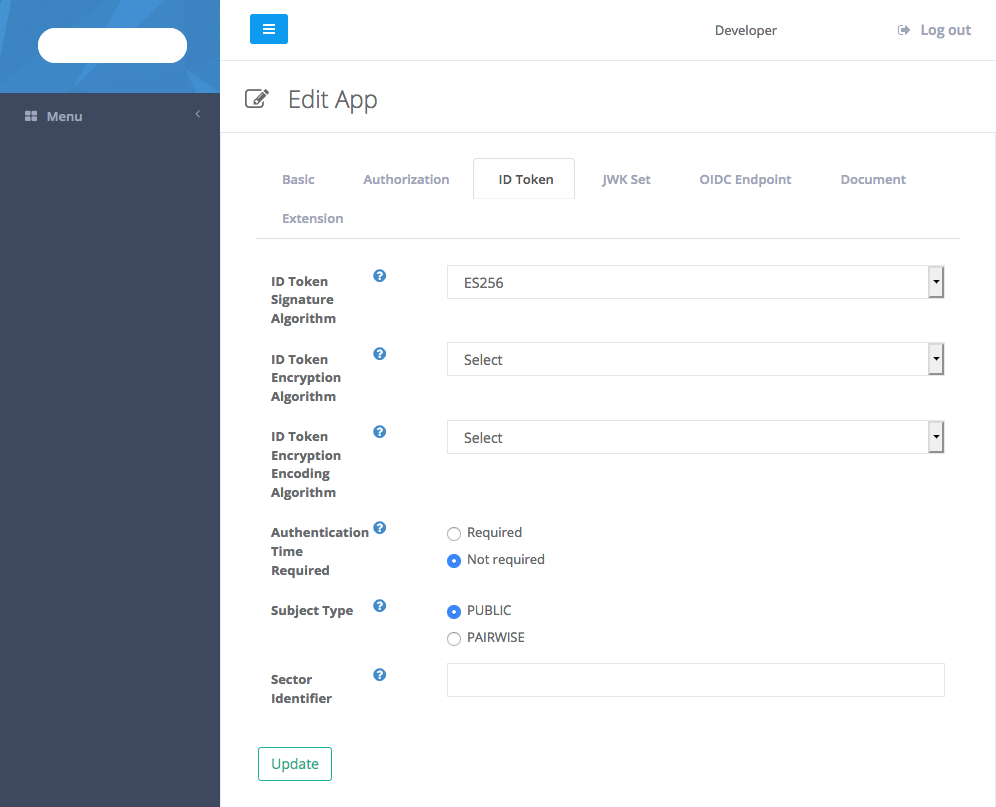 *ID Token Signature Algorithm*
With the settings above, Authlete will be using the ES256 key (identified by "kid=1") to sign ID tokens for the client.
*ID Token Signature Algorithm*
With the settings above, Authlete will be using the ES256 key (identified by "kid=1") to sign ID tokens for the client.