> ## Documentation Index
> Fetch the complete documentation index at: https://developers.authlete.com/llms.txt
> Use this file to discover all available pages before exploring further.
# ID トークンの署名鍵の変更
> IDトークンの署名鍵を変更する際の手順について説明しています。
For **Authlete 2.x** documentation, see [2.x version](/v2/configuration-reference/openid-connect/changing-signing-key-for-id-token).
## 概要
本記事では、ID トークンの署名鍵の変更手順を示します。変更後の鍵を実際に用いるためには、Authlete サービスの設定変更に加え、そのサービスに登録されているクライアントにも設定変更が必要となる場合があります。
## サービス設定の変更
[サービス設定](/ja/configuration-reference/service-settings/service-management)
の「JWK セットの内容」に JWK セットドキュメントを登録します。手順については以下の記事をご参照ください。
* [Authlete サービスの JWK セット設定](/ja/configuration-reference/key-management/jwk-set-settings-for-an-authlete-service)
登録後、同じ「JWK Set (JWK セット)」タブにある「ID Token Signature Key ID(ID トークン署名キー ID)」の項目に、この Keypair set の kid の値(上記の例では「1」)を入力します。
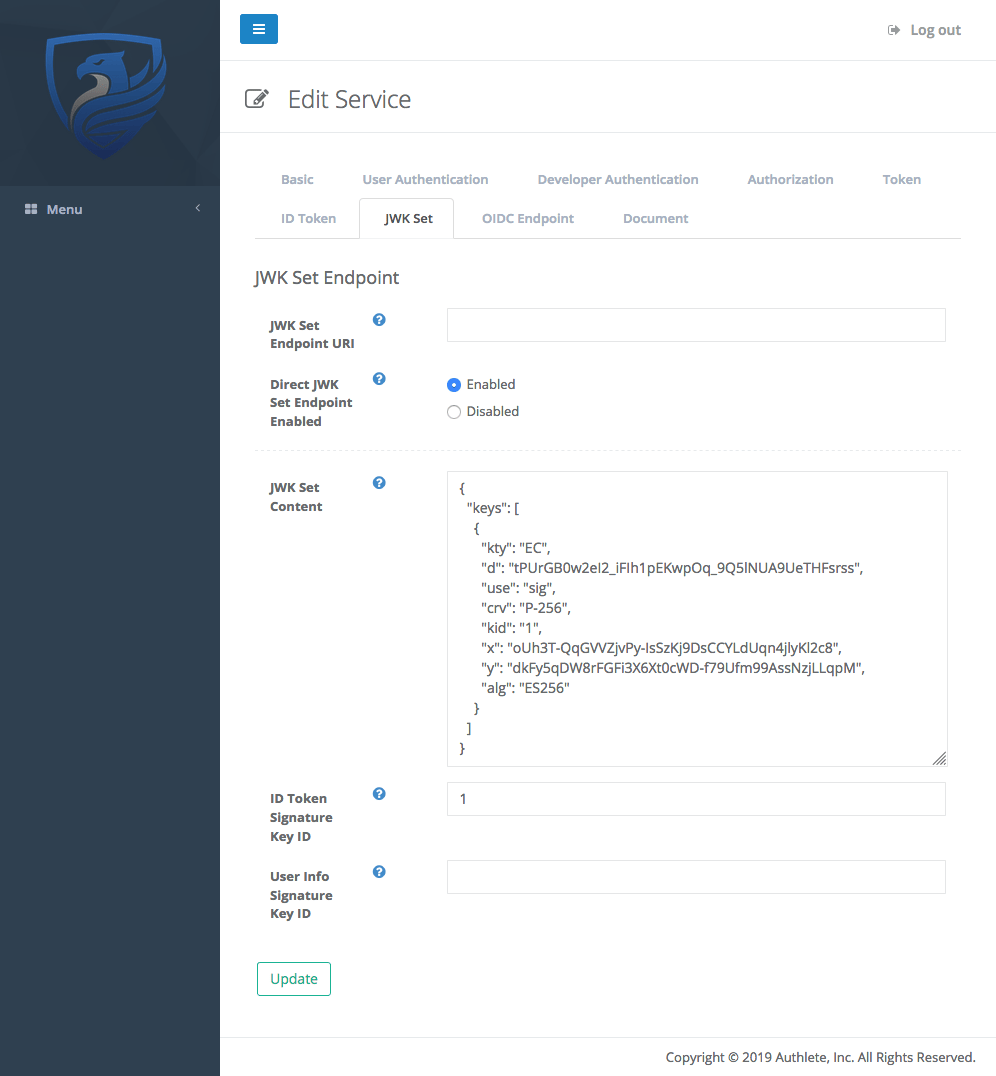 *ID Token Signatuer Key ID*
## クライアント設定の変更
クライアントに対して、変更後の鍵(署名アルゴリズム ES256)によって署名された ID トークンを提供するべく、[クライアント設定](https://www.authlete.com/ja/kb/operations/client-settings/client-settings)
の「ID Token Signature Algorithm (ID トークンの署名アルゴリズム)」の項目にて、「ES256」を選択します。
*ID Token Signatuer Key ID*
## クライアント設定の変更
クライアントに対して、変更後の鍵(署名アルゴリズム ES256)によって署名された ID トークンを提供するべく、[クライアント設定](https://www.authlete.com/ja/kb/operations/client-settings/client-settings)
の「ID Token Signature Algorithm (ID トークンの署名アルゴリズム)」の項目にて、「ES256」を選択します。
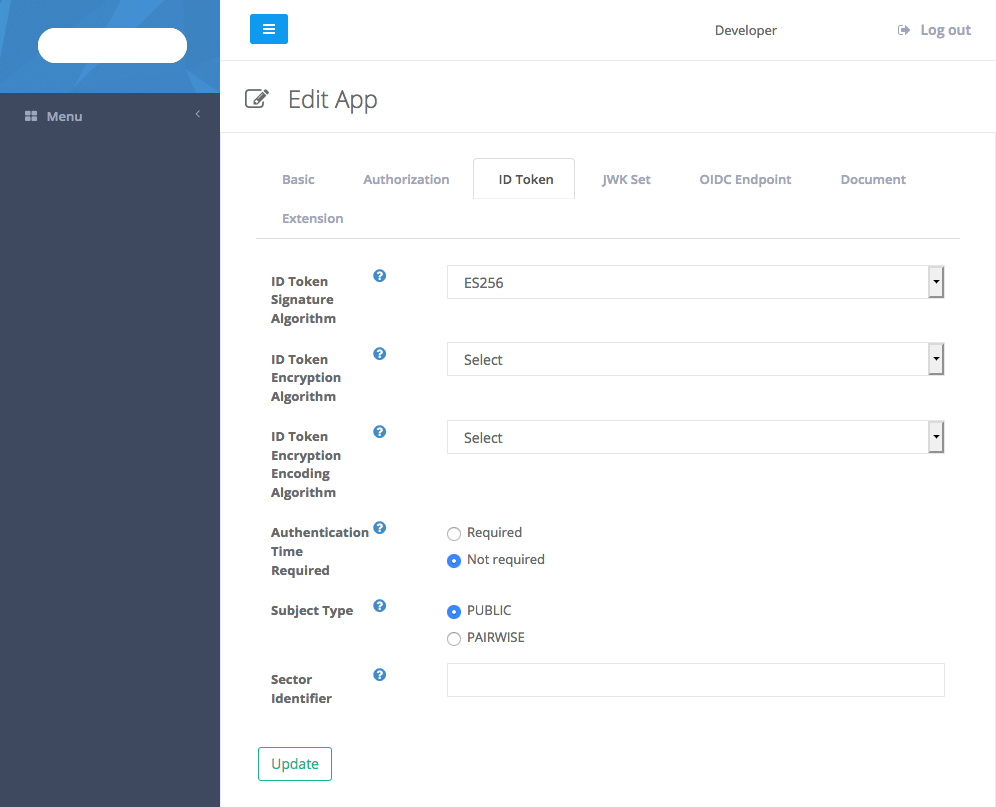 *ID Token Signature Algorithm*
以上の設定により Authlete は、このクライアントに提供する ID トークンについて、署名アルゴリズム ES256 の鍵(kid=1)を用いて署名するようになります。
*ID Token Signature Algorithm*
以上の設定により Authlete は、このクライアントに提供する ID トークンについて、署名アルゴリズム ES256 の鍵(kid=1)を用いて署名するようになります。