> ## Documentation Index
> Fetch the complete documentation index at: https://developers.authlete.com/llms.txt
> Use this file to discover all available pages before exploring further.
# Enabling Multiple Accounts for Developer Console
> Setting up multiple developer accounts for Authlete's Developer Console and implementing a Web API for authentication and access rights verification.
## Preface
This article describes implementation of an Web API and configuration of Authlete to allow each of multiple developers to have a dedicated login account for Authlete's Developer Console, and manage information of clients.
## Implementing an Web API
Implement an external Web API in your environment so that Authlete can delegate verification of login ID and password and confirmation of access rights to it. This API must be able to fulfill at least the following processes:
1. Receiving a request from Authlete
2. Verifying an Authorization header
3. Identifying a user using ID/password
4. Confirming access rights to the requested Authlete service
5. Determining an identifier and a display name for the user in Authlete
6. Sending back a response to Authlete
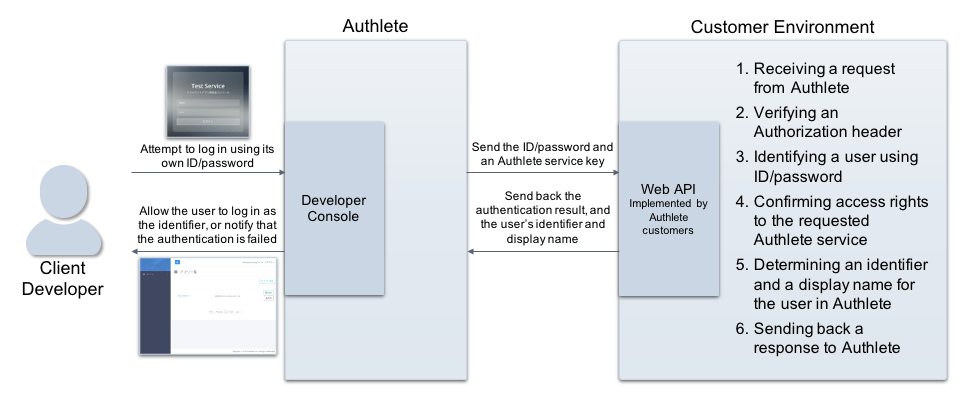 See the following article for details on implementing the API.
* [Developer authentication callback](https://www.authlete.com/developers/definitive_guide/developer_authentication_callback/)
* [Service settings](https://www.authlete.com/kb/operations/service-configuration/service-settings)
***
## Authlete service settings
Log in to Authlete's Service Owner Console and configure settings for one of Authlete services to connect to the external Web API.
| Tab | Item | Value |
| ------------------------ | -------------------------------------------- | ----------------------------------------------------------------- |
| Developer Authentication | Developer Authentication Callback Endpoint | URL of the Web API |
| Developer Authentication | Developer Authentication Callback API Key | API key used for Basic authentication on connecting to the API |
| Developer Authentication | Developer Authentication Callback API Secret | API secret used for Basic authentication on connecting to the API |
See the following article for details on implementing the API.
* [Developer authentication callback](https://www.authlete.com/developers/definitive_guide/developer_authentication_callback/)
* [Service settings](https://www.authlete.com/kb/operations/service-configuration/service-settings)
***
## Authlete service settings
Log in to Authlete's Service Owner Console and configure settings for one of Authlete services to connect to the external Web API.
| Tab | Item | Value |
| ------------------------ | -------------------------------------------- | ----------------------------------------------------------------- |
| Developer Authentication | Developer Authentication Callback Endpoint | URL of the Web API |
| Developer Authentication | Developer Authentication Callback API Key | API key used for Basic authentication on connecting to the API |
| Developer Authentication | Developer Authentication Callback API Secret | API secret used for Basic authentication on connecting to the API |
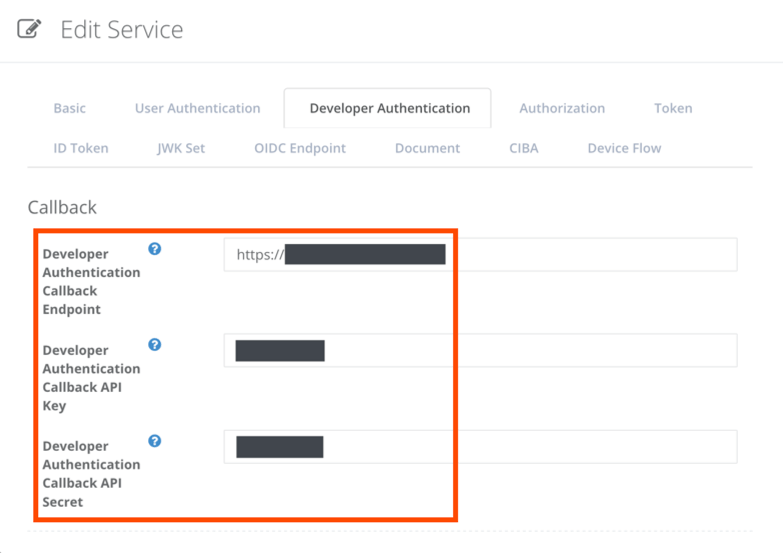 > SNS related settings shown in Developer Authentication tab are not available for use as they are deprecated.
With the settings above, the Authlete service will be delegating verification of ID/password submitted by users for logging in to Developer Console, and confirmation of access rights to the console.
***
## Examples
Here we assume that client developer accounts are managed in your environment as follows:
* User information
| ID | Password | Status | Group |
| ----- | -------- | --------- | ------ |
| test1 | test1 | active | Dev 01 |
| test2 | test2 | active | Dev 01 |
| test3 | test3 | active | Dev 02 |
| test4 | test4 | suspended | Dev 02 |
* Group information
| Group | Subject identifier in Authlete | Display name in Authlete | Status |
| ------ | ------------------------------ | ------------------------ | ------ |
| Dev 01 | dev01 | Developer Group 01 | active |
| Dev 02 | dev02 | Developer Group 02 | active |
The following examples will describe expected behaviors for attempts of login using each ID.
### Example 1: login using test1/test1
First, assume that a user attempts to log in to Developer Console using **test1/test1**.
> SNS related settings shown in Developer Authentication tab are not available for use as they are deprecated.
With the settings above, the Authlete service will be delegating verification of ID/password submitted by users for logging in to Developer Console, and confirmation of access rights to the console.
***
## Examples
Here we assume that client developer accounts are managed in your environment as follows:
* User information
| ID | Password | Status | Group |
| ----- | -------- | --------- | ------ |
| test1 | test1 | active | Dev 01 |
| test2 | test2 | active | Dev 01 |
| test3 | test3 | active | Dev 02 |
| test4 | test4 | suspended | Dev 02 |
* Group information
| Group | Subject identifier in Authlete | Display name in Authlete | Status |
| ------ | ------------------------------ | ------------------------ | ------ |
| Dev 01 | dev01 | Developer Group 01 | active |
| Dev 02 | dev02 | Developer Group 02 | active |
The following examples will describe expected behaviors for attempts of login using each ID.
### Example 1: login using test1/test1
First, assume that a user attempts to log in to Developer Console using **test1/test1**.
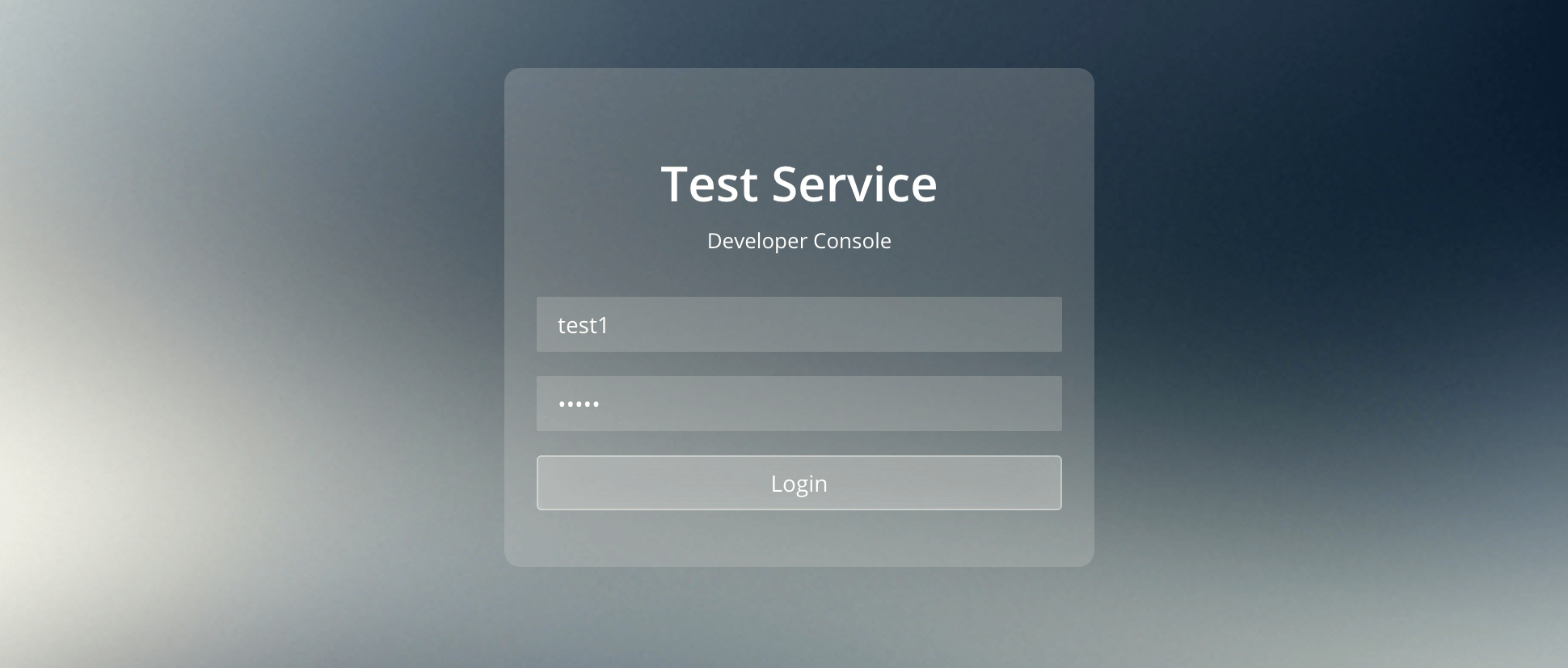 The Authlete service with the developer authentication settings sends the following request to the Web API. (all examples below are folded for readability)
```
POST / HTTP/1.1
Accept: application/json
Authorization: Basic base64(:)
Content-Type: application/json
Host:
...
{"expiresIn": 0,
"id": "test1",
"password": "test1",
"serviceApiKey": }
```
On receiving the request, the Web API would determine that the subject and the displayName are **dev01** and **Developer Group 01** respectively, and make the following response to Authlete.
```
HTTP/1.1 OK
Content-Type: application/json; charset=UTF-8
Content-Length: 70
{"authenticated":true, "subject":"dev01", "displayName":"Developer Group 01"}
```
Authlete allows the user to log in to the Developer Console and provides the following content.
The Authlete service with the developer authentication settings sends the following request to the Web API. (all examples below are folded for readability)
```
POST / HTTP/1.1
Accept: application/json
Authorization: Basic base64(:)
Content-Type: application/json
Host:
...
{"expiresIn": 0,
"id": "test1",
"password": "test1",
"serviceApiKey": }
```
On receiving the request, the Web API would determine that the subject and the displayName are **dev01** and **Developer Group 01** respectively, and make the following response to Authlete.
```
HTTP/1.1 OK
Content-Type: application/json; charset=UTF-8
Content-Length: 70
{"authenticated":true, "subject":"dev01", "displayName":"Developer Group 01"}
```
Authlete allows the user to log in to the Developer Console and provides the following content.
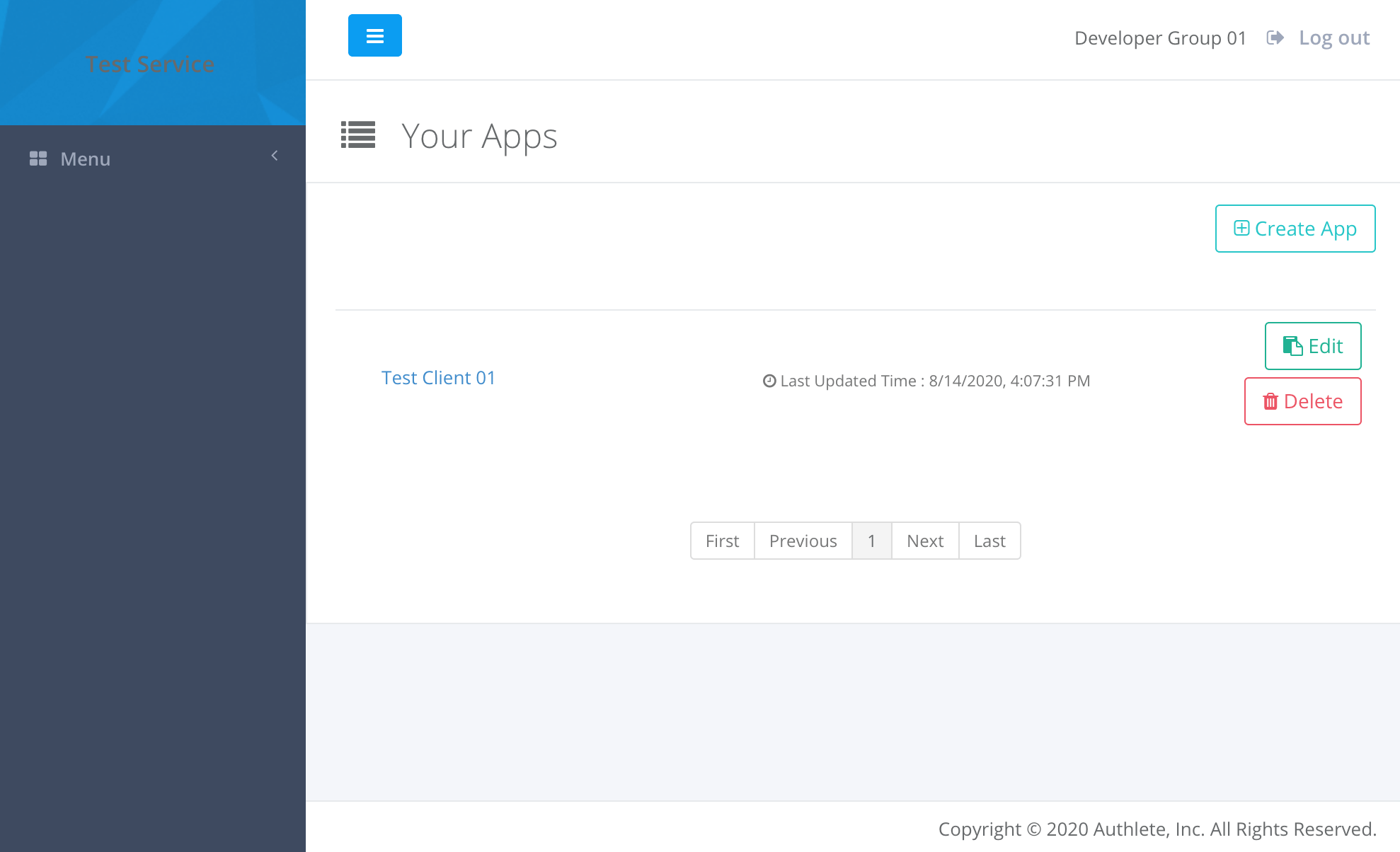
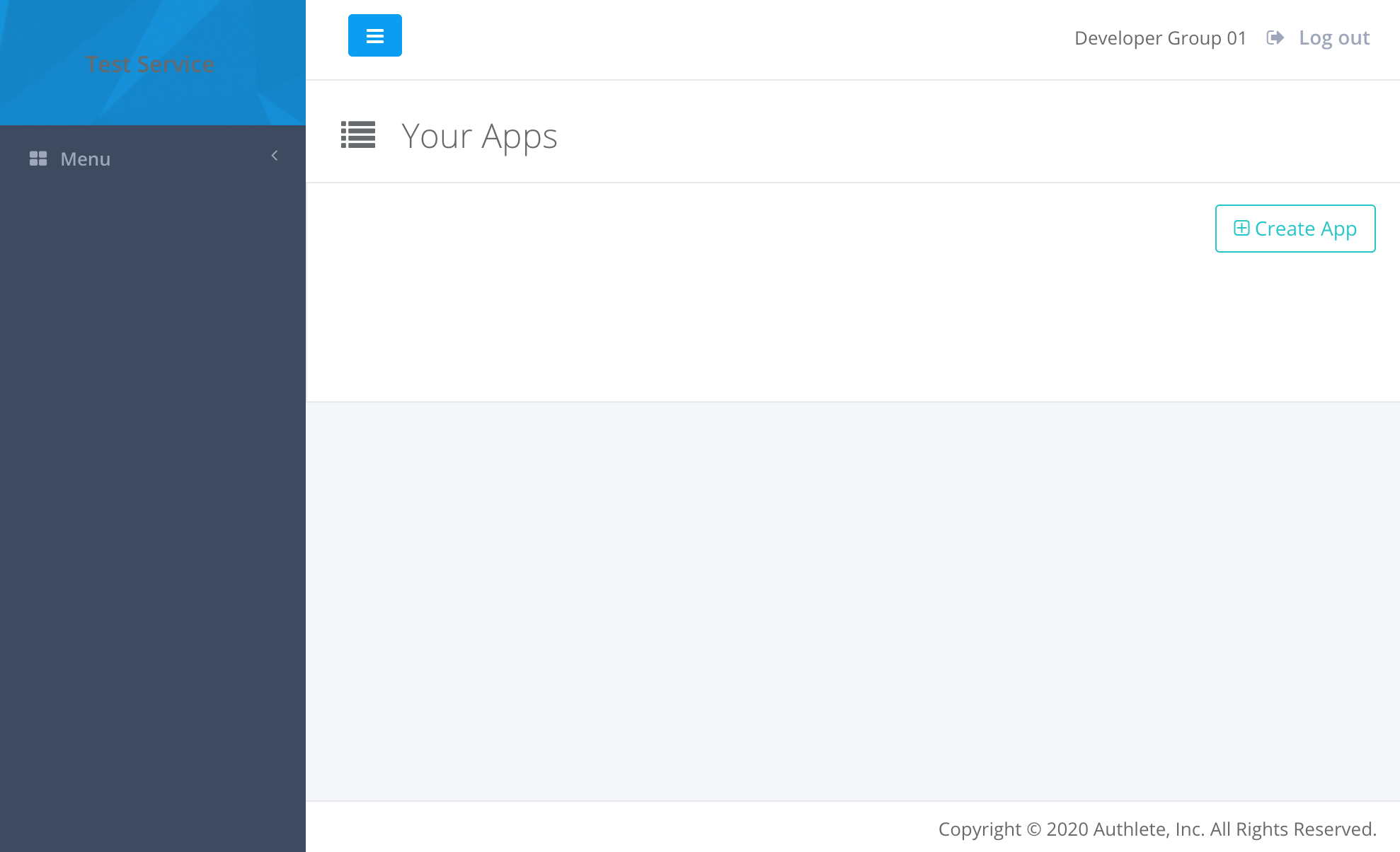 Assume that after logging in to the console, the user has registered information of a new client by clicking “Create App” button. In this example, “Test Client 01” has been added to “Developer Group 01” (“dev01” as a subject of Authlete).
 ### Example 2: login using test2/test2
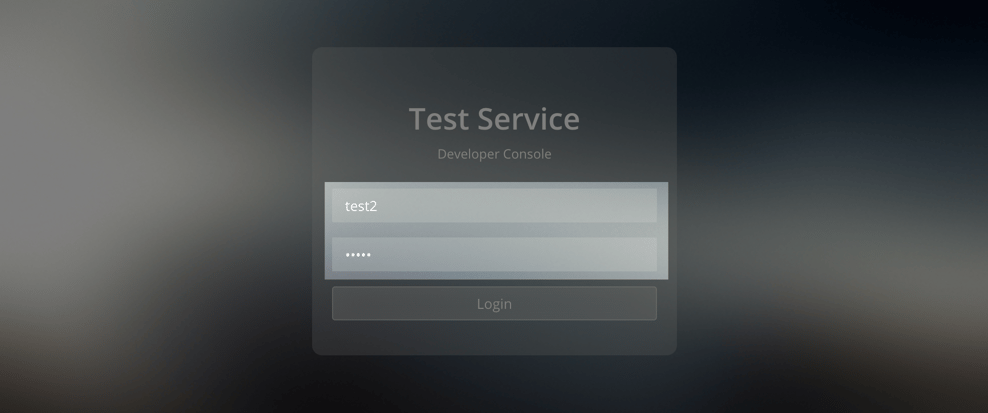
Second, assume that the user logs out from the console and attempts to log in again using **test2/test2**.
### Example 2: login using test2/test2
Second, assume that the user logs out from the console and attempts to log in again using **test2/test2**.
 The Authlete service sends the following request to the Web API.
```
POST / HTTP/1.1
Accept: application/json
Authorization: Basic base64(:)
Content-Type: application/json
Host:
...
{"expiresIn":0,
"id":"test2",
"password":"test2",
"serviceApiKey":}
```
The Web API would determine that the subject and the displayName are **dev01** and **Developer Group 01** respectively (same as the previous case of test1), and make the following response to Authlete.
```
HTTP/1.1 OK
Content-Type: application/json; charset=UTF-8
Content-Length: 70
{"authenticated":true, "subject":"dev01", "displayName":"Developer Group 01"}
```
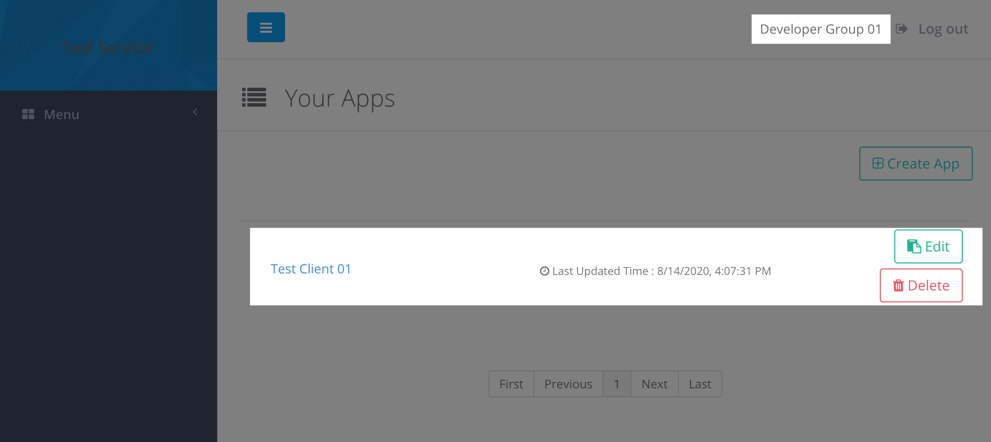
Authlete provides the following content on logging in to the console as test2. The client information that test1 has added is shown there.
The Authlete service sends the following request to the Web API.
```
POST / HTTP/1.1
Accept: application/json
Authorization: Basic base64(:)
Content-Type: application/json
Host:
...
{"expiresIn":0,
"id":"test2",
"password":"test2",
"serviceApiKey":}
```
The Web API would determine that the subject and the displayName are **dev01** and **Developer Group 01** respectively (same as the previous case of test1), and make the following response to Authlete.
```
HTTP/1.1 OK
Content-Type: application/json; charset=UTF-8
Content-Length: 70
{"authenticated":true, "subject":"dev01", "displayName":"Developer Group 01"}
```
Authlete provides the following content on logging in to the console as test2. The client information that test1 has added is shown there.
 ### Example 3: login using test3/test3
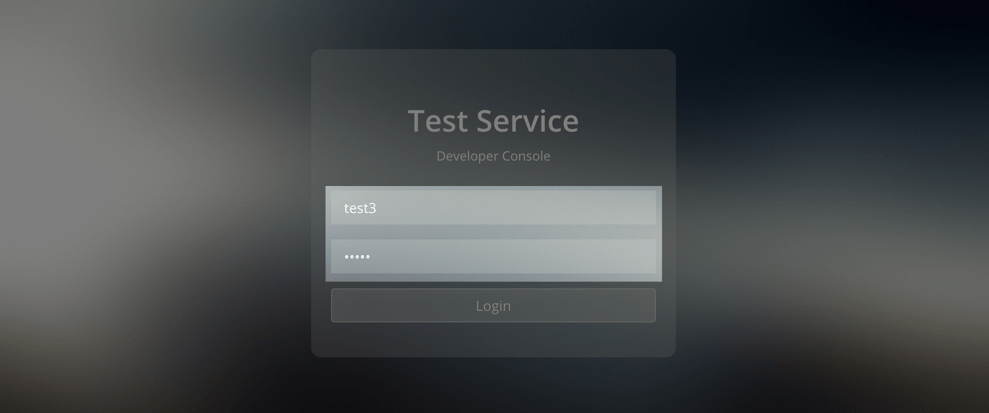
So, what happens when a user in a different group attempts to log in to the console? Assume that the user logs out from the console and attempts to log in again using **test3/test3**.
### Example 3: login using test3/test3
So, what happens when a user in a different group attempts to log in to the console? Assume that the user logs out from the console and attempts to log in again using **test3/test3**.
 The Authlete service sends the following request to the Web API.
```
POST / HTTP/1.1
Accept: application/json
Authorization: Basic base64(:)
Content-Type: application/json
Host:
...
{"expiresIn":0,
"id":"test3",
"password":"test3",
"serviceApiKey":}
```
The Web API would determine that the subject and the displayName are **dev02** and **Developer Group 02** respectively, and make the following response to Authlete.
```
HTTP/1.1 OK
Content-Type: application/json; charset=UTF-8
Content-Length: 70
{
"authenticated": true,
"subject": "dev02",
"displayName": "Developer Group 02"
}
```
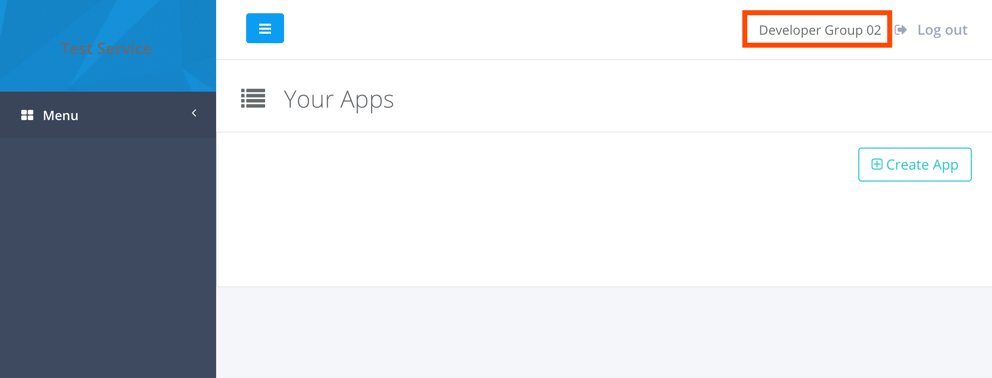
As a consequence, Authlete allows the user to log in to the Developer Console as **dev02**, which is different to the previous examples. Note that the client information that was added by the user who logged in as test1 is not shown in Your Apps section.
The Authlete service sends the following request to the Web API.
```
POST / HTTP/1.1
Accept: application/json
Authorization: Basic base64(:)
Content-Type: application/json
Host:
...
{"expiresIn":0,
"id":"test3",
"password":"test3",
"serviceApiKey":}
```
The Web API would determine that the subject and the displayName are **dev02** and **Developer Group 02** respectively, and make the following response to Authlete.
```
HTTP/1.1 OK
Content-Type: application/json; charset=UTF-8
Content-Length: 70
{
"authenticated": true,
"subject": "dev02",
"displayName": "Developer Group 02"
}
```
As a consequence, Authlete allows the user to log in to the Developer Console as **dev02**, which is different to the previous examples. Note that the client information that was added by the user who logged in as test1 is not shown in Your Apps section.
 ### Example 4: login using test4/test4
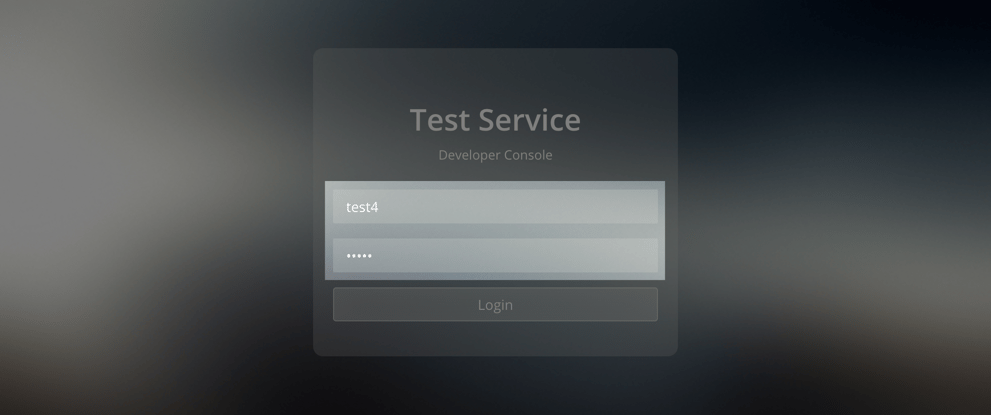
Lastly, assume that the user logs out from the console and attempts to log in again using **test4/test4**.
### Example 4: login using test4/test4
Lastly, assume that the user logs out from the console and attempts to log in again using **test4/test4**.
 The Authlete service sends the following request to the Web API.
```
POST / HTTP/1.1
Accept: application/json
Authorization: Basic base64(:)
Content-Type: application/json
Host:
...
{
"expiresIn":0,
"id":"test4",
"password":"test4",
"serviceApiKey":
}
```
The attempt is expected to be failed as the status of test4 is **suspended**. The Web API would make the following response to Authlete.
```
HTTP/1.0 200 OK
Content-Type: application/json; charset=UTF-8
Content-Length: 24
{"authenticated":false}
```
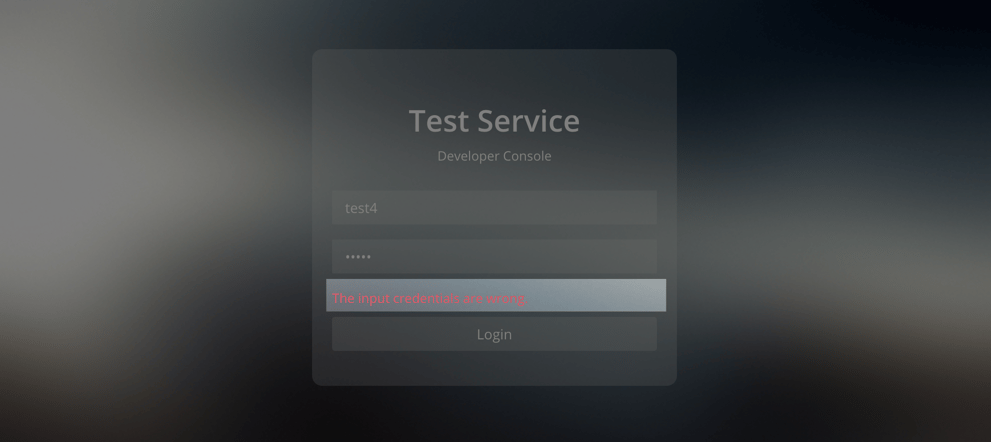
Authlete parses the response and denies the login attempt.
The Authlete service sends the following request to the Web API.
```
POST / HTTP/1.1
Accept: application/json
Authorization: Basic base64(:)
Content-Type: application/json
Host:
...
{
"expiresIn":0,
"id":"test4",
"password":"test4",
"serviceApiKey":
}
```
The attempt is expected to be failed as the status of test4 is **suspended**. The Web API would make the following response to Authlete.
```
HTTP/1.0 200 OK
Content-Type: application/json; charset=UTF-8
Content-Length: 24
{"authenticated":false}
```
Authlete parses the response and denies the login attempt.
 As described in the examples above, you can allow each of multiple users with ID/password to log in to Developer Console, by implementing an Web API.